
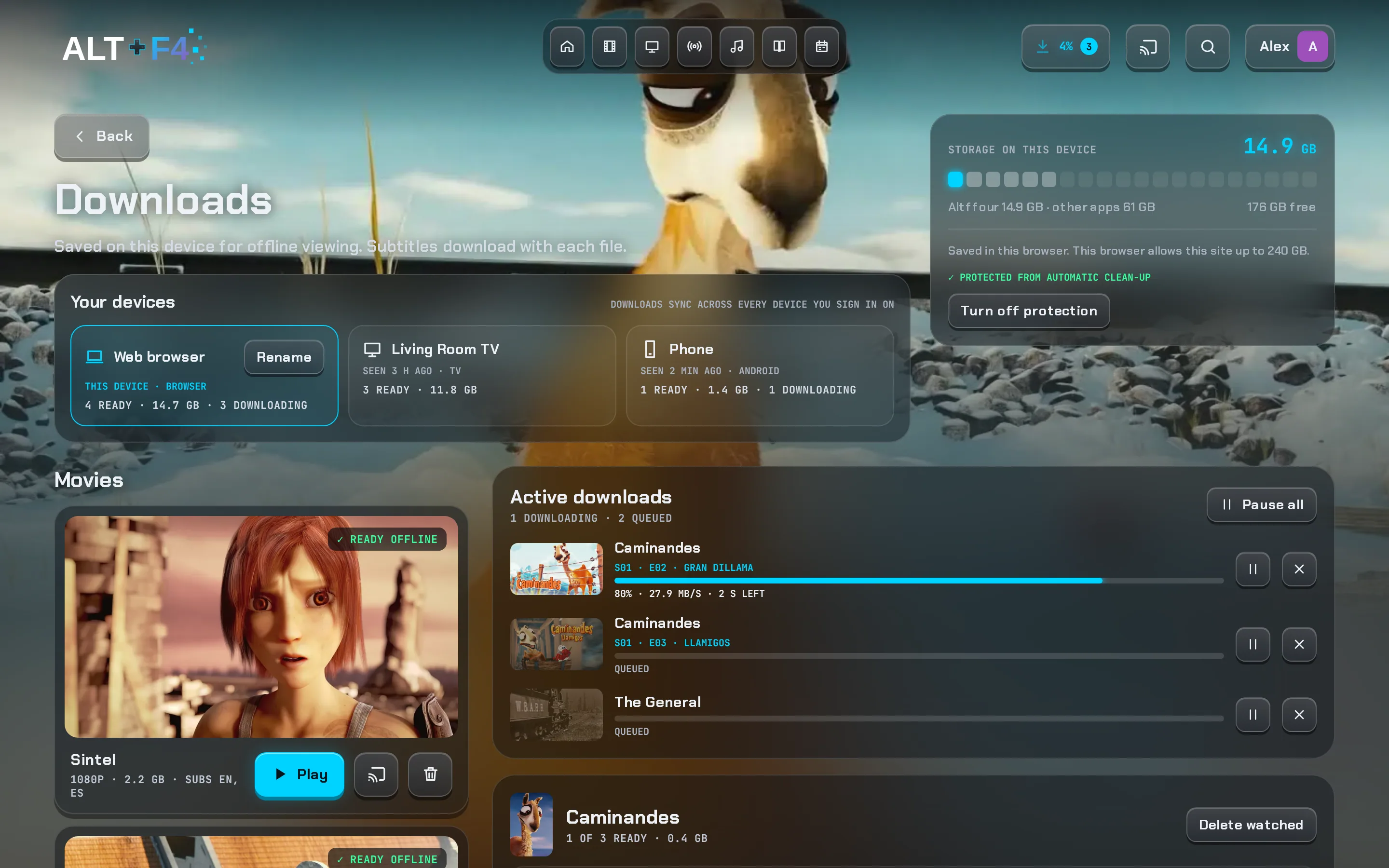
Downloads that play offline
Pick a version and quality, then watch on a plane. Subtitles come along, and your progress syncs when you're back online.
Jellyfin web: saves the file, with no offline player.
For your Jellyfin server
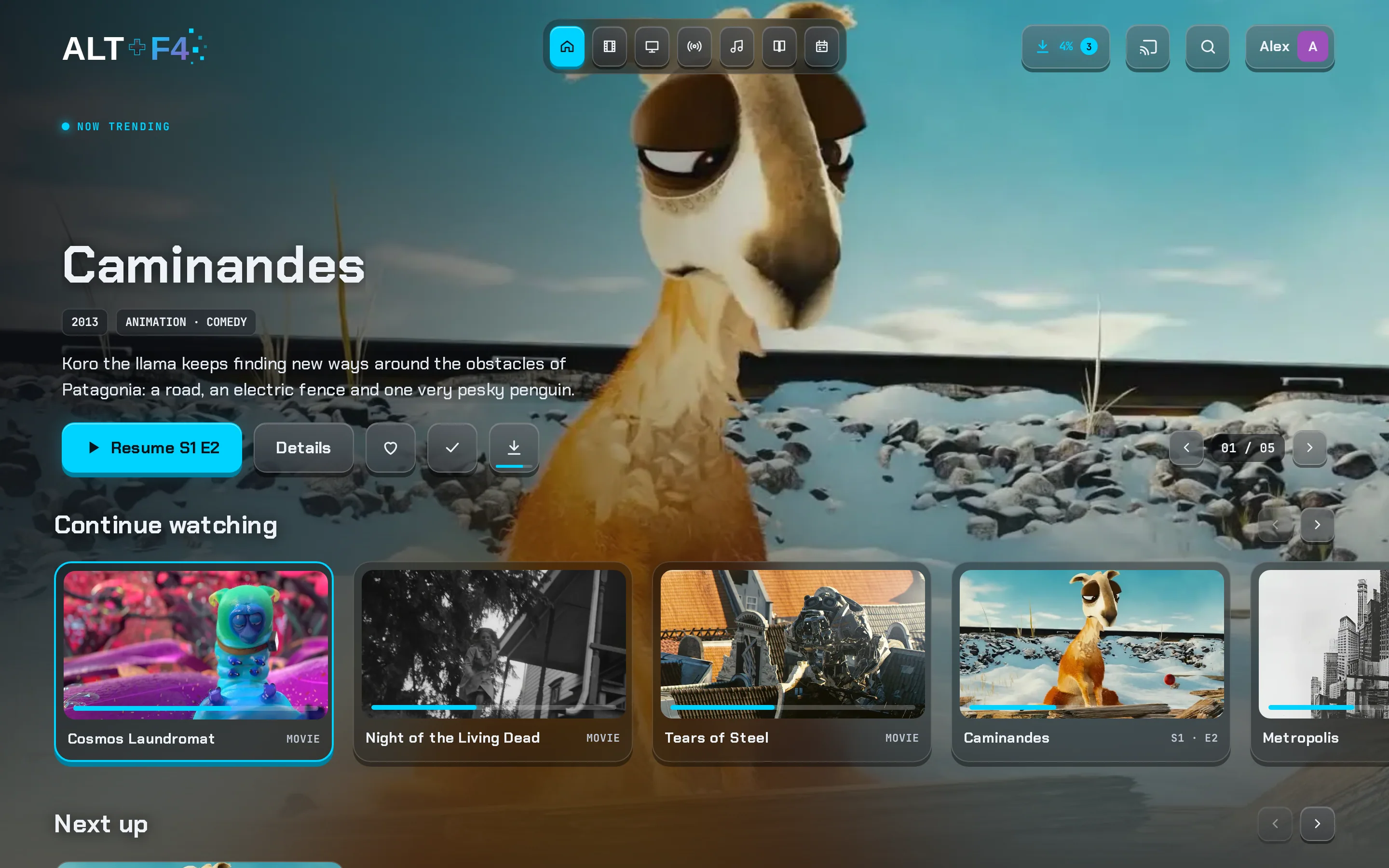
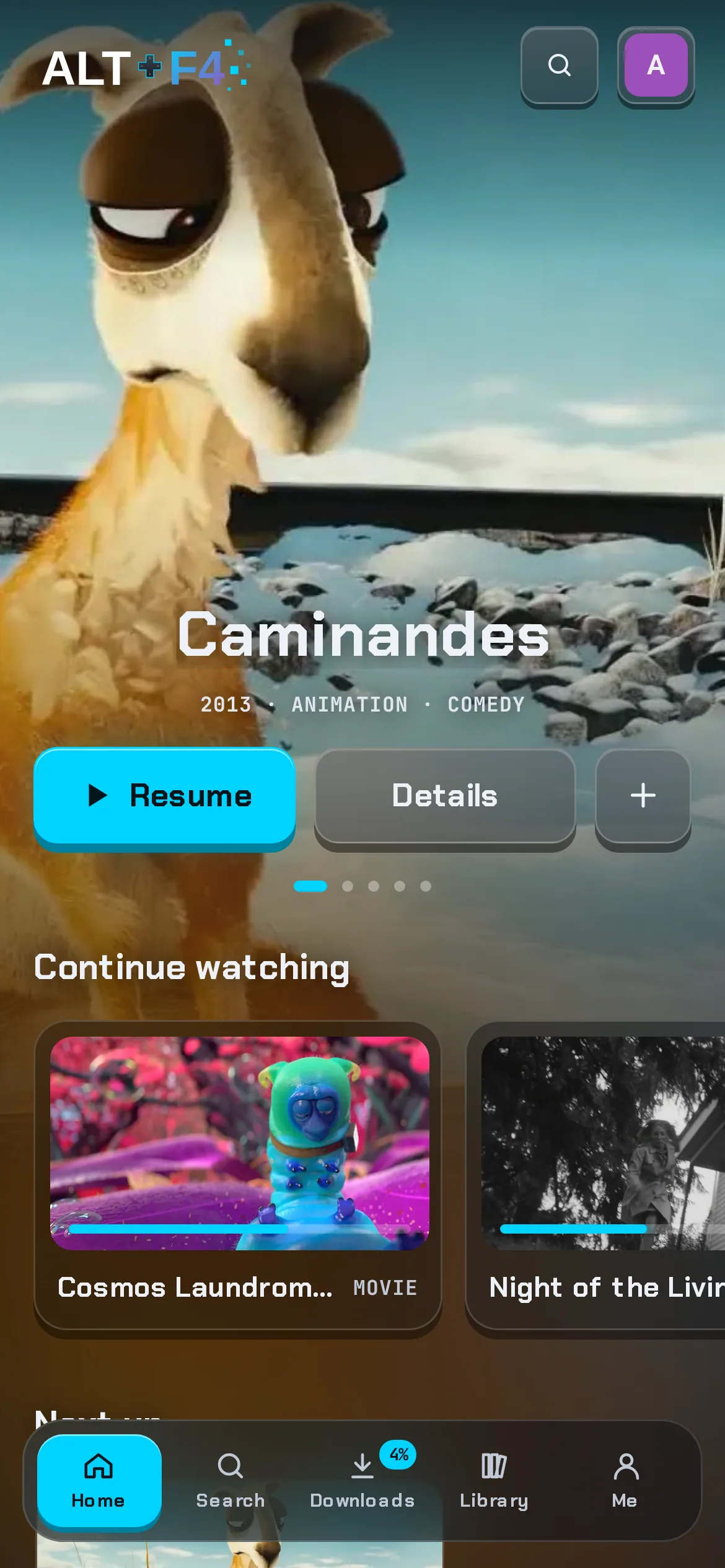
Altffour is a fast, good-looking app for the media on your own Jellyfin server. Downloads that play offline, subtitles that just work, skip intros and credits, and a Home that knows what you're watching.
Why Altffour
Your server, your library, your settings. Altffour adds the things Jellyfin's own web app doesn't do, and polishes the ones it does.
Pick a version and quality, then watch on a plane. Subtitles come along, and your progress syncs when you're back online.
Jellyfin web: saves the file, with no offline player.
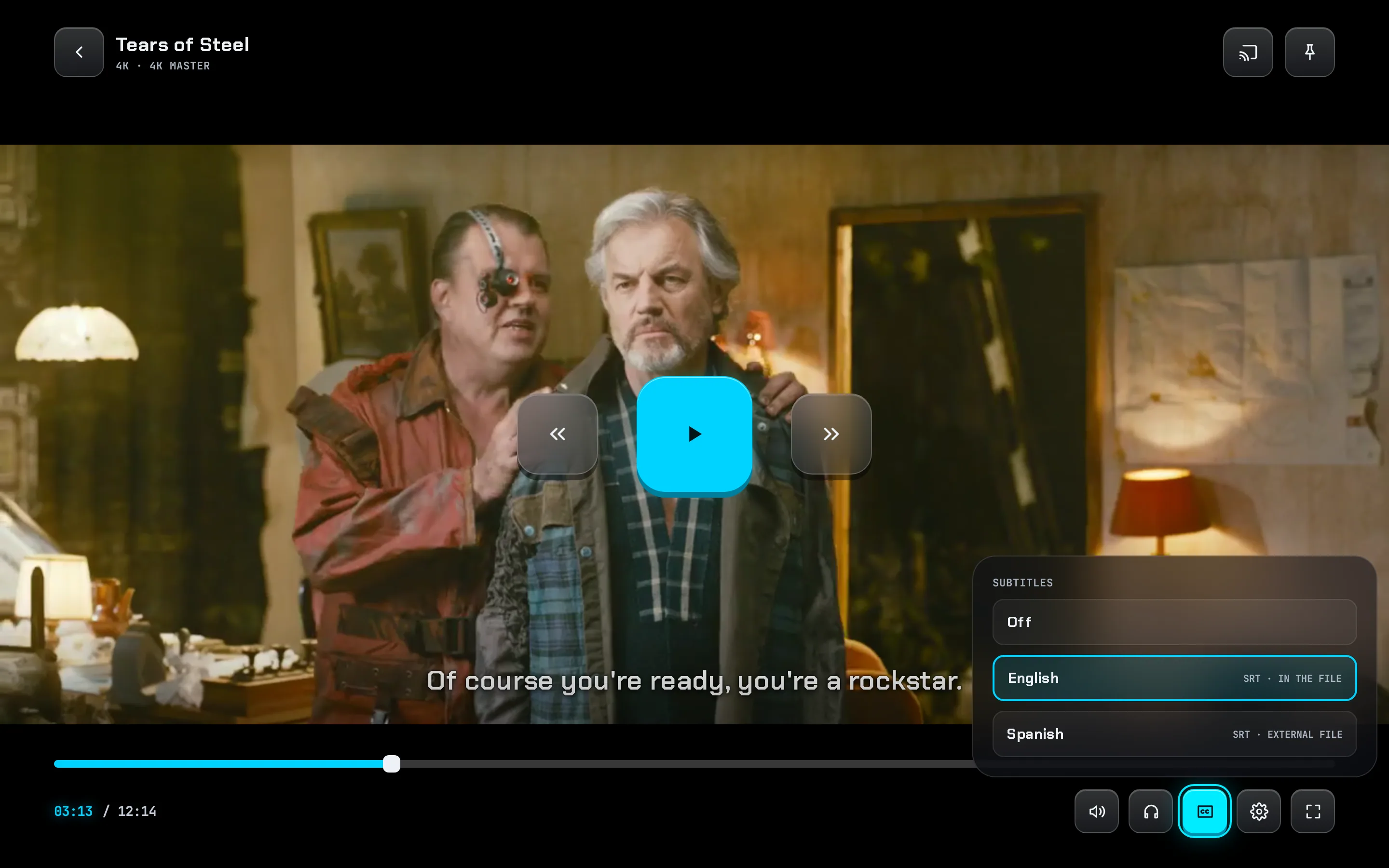
Style them your way with a live preview, show only forced captions when the audio's in your language, and keep anime in Japanese with subtitles.
Jellyfin web: fewer styles, one language setting for everything.
A Skip button, or skip automatically. Skipped parts show on the seek bar, and Up next appears when the credits start.
Jellyfin: needs a server plugin that scans every file.
Continue watching you can tidy, Because you watched, Top 10 with rank numbers, and rows you can reorder or switch off.
Jellyfin web: fixed sections, none of these rows.
Channel logos, categories across the whole lineup, favourites, search, and one tap to watch, even with thousands of channels.
Jellyfin web: a guide without categories or channel search.
Seven themes, a theme builder and any accent colour you like. Pages take on the colours of each title's artwork.
Jellyfin web: six themes, or write your own CSS.
Side by side
Everything Jellyfin's web app does, plus a lot it doesn't.
| Feature | Jellyfin web | Altffour | Notes |
|---|---|---|---|
| Movies, shows, music, books and Live TV from your server | Yes | Yes | |
| Plays on phones, computers and TVs | Yes | Yes | Altffour installs from the browser, and its Android and Android TV app is in beta. |
| Offline downloads that play in the app | No | Yes | Jellyfin's web app saves the file but has no offline player. |
| Downloads across your devices | No | Yes | See each device's downloads and send them between devices. |
| Opens with no connection | No | Yes | Altffour opens offline and takes you to your downloads. |
| Skip intros, recaps and credits | Partly | Yes | Jellyfin needs a server plugin that scans your files; Companion finds markers without scanning. |
| Up next when the credits start | Partly | Yes | Jellyfin shows a next-episode overlay near the end. |
| Subtitle styles with a live preview | Partly | Yes | Jellyfin has size, font, colour and background; no glass background, accent colour or preview. |
| Foreign-audio subtitle mode | Yes | Yes | Altffour applies it to every subtitle, downloads included. |
| Separate languages for anime | No | Yes | Keep anime in Japanese with subtitles while everything else uses your normal languages. |
| Because you watched and Top 10 rows on Home | No | Yes | |
| Remove titles from Continue watching | No | Yes | |
| IMDb, Rotten Tomatoes and TMDB scores with reviews | Partly | Yes | Jellyfin shows a community and a critic rating. Altffour's scores need Companion and the server's ratings keys. |
| Live TV guide with logos and favourites | Yes | Yes | |
| Live TV categories and channel search | No | Yes | |
| Listen together | Partly | Yes | Jellyfin's SyncPlay groups are picked from a list; Altffour's Jams join with a code. |
| Admin defaults and locks for every user | No | Yes | Set default languages and skip behaviour for everyone, and lock them. |
| Themes | Partly | Yes | Jellyfin has six themes and custom CSS; Altffour has seven, a theme builder and any accent colour. |
| Installs as an app that updates itself | Partly | Yes | Jellyfin's web app has a basic install; Altffour adds offline start, shortcuts and update prompts. |
yes partly no. Compared with Jellyfin's own web app; the official mobile and TV apps differ.
Offline
Downloads play right inside the app, in the browser or installed. The app even opens with no connection and takes you straight to what you saved.
Player
Subtitles in your style, the audio language you asked for, skip markers on the seek bar and an Up next card that knows when the credits start.
Details
Scores from IMDb, Rotten Tomatoes and TMDB with reviews one tap away, trailers, cast, seasons as a strip of posters, and a clear picture-quality table.
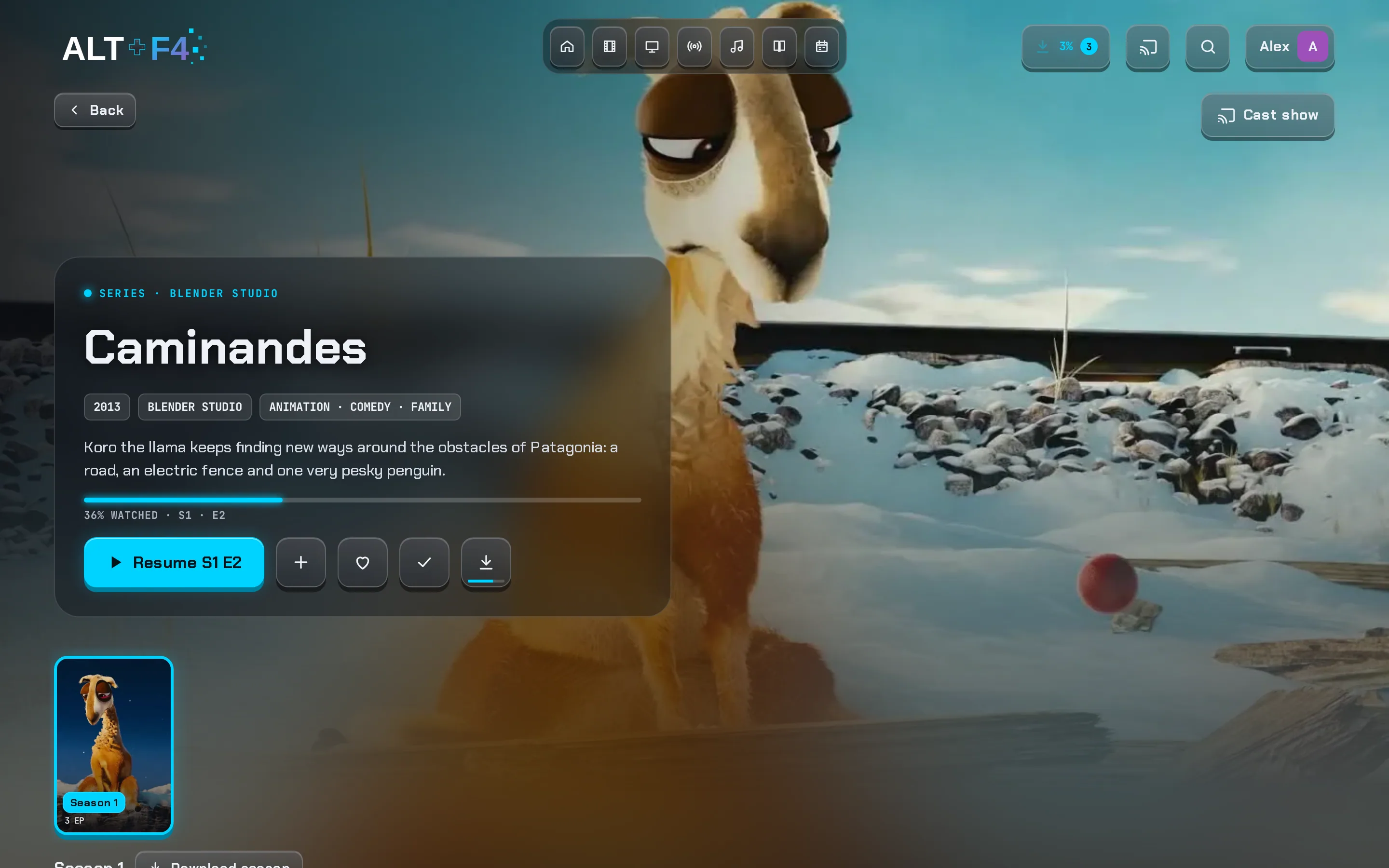
On your phone
The same app on your phone, tablet, computer and TV. Install it from your browser, or try the Android and Android TV beta.
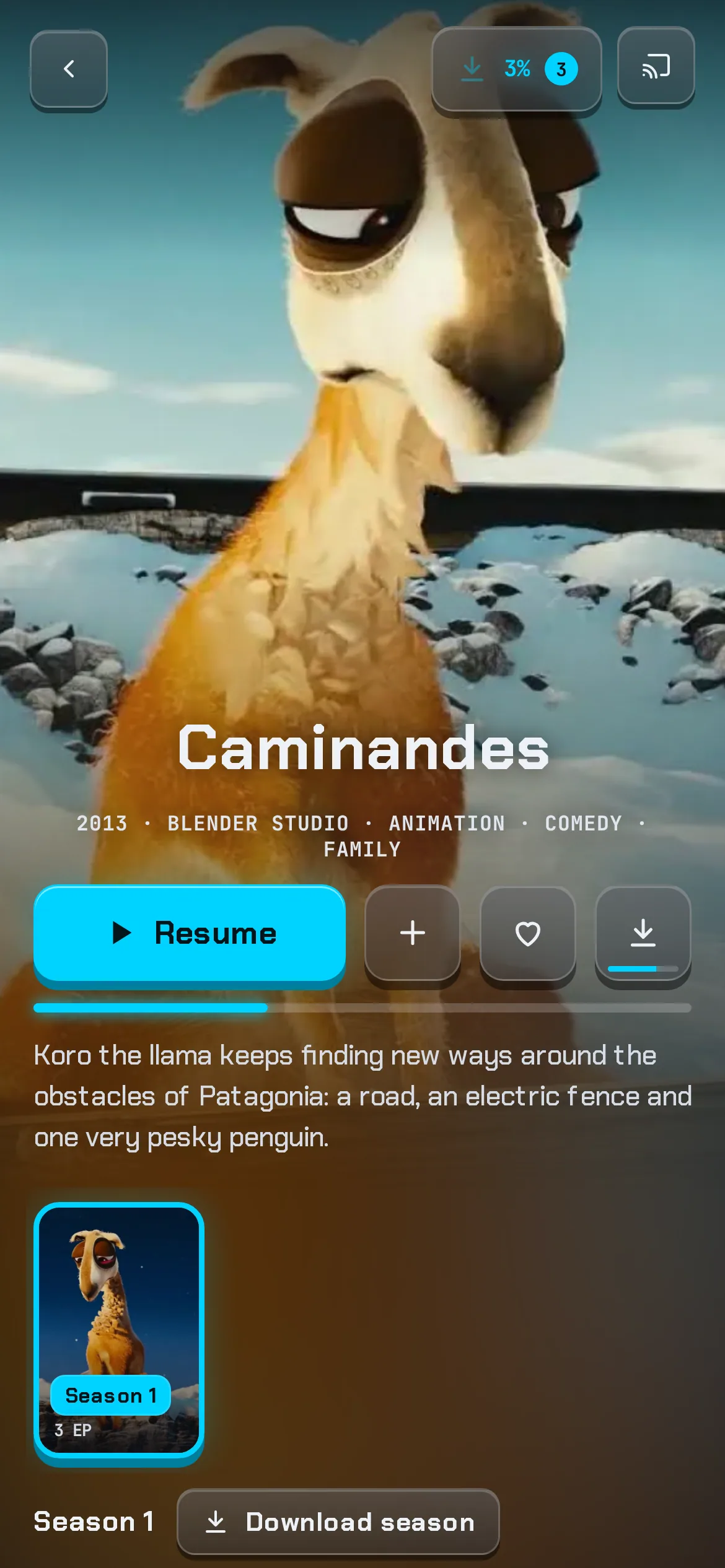
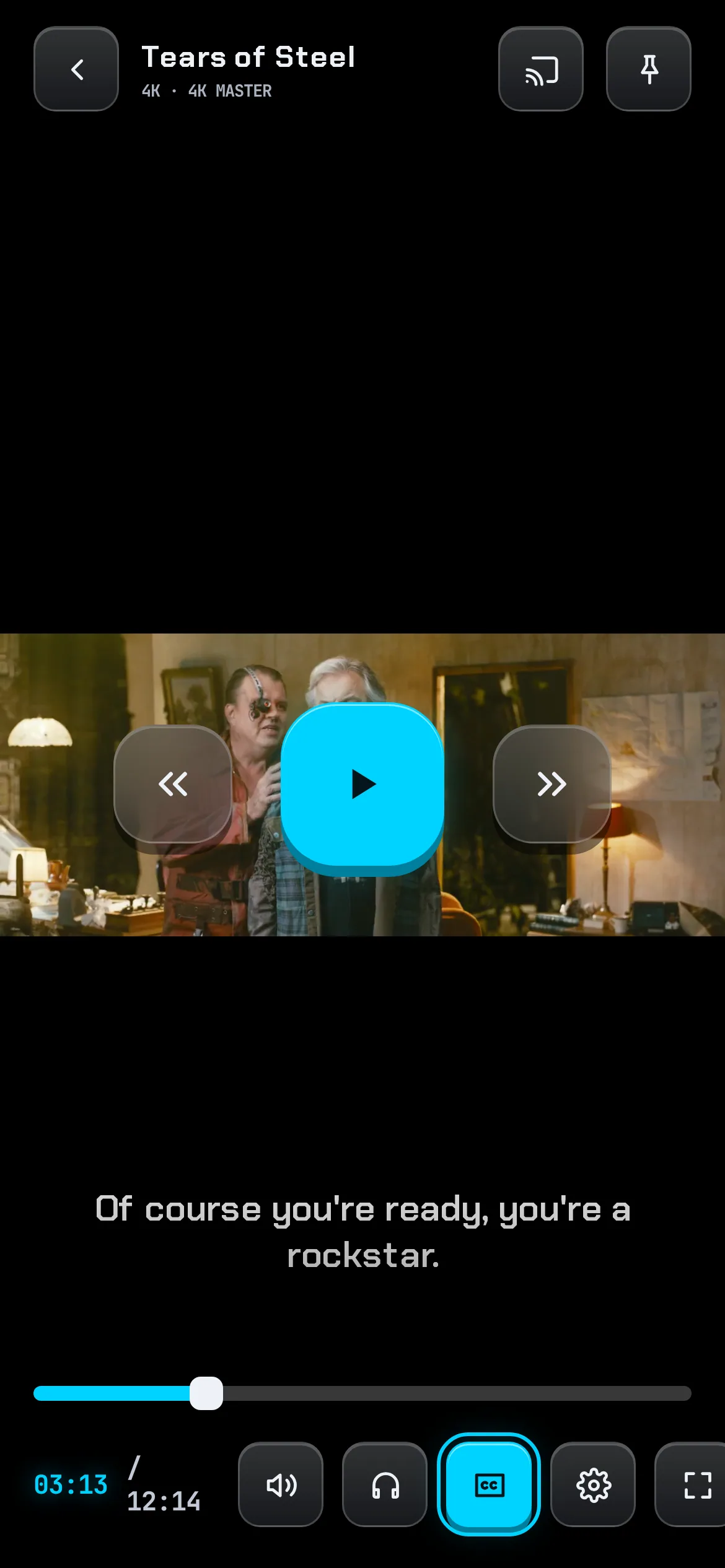
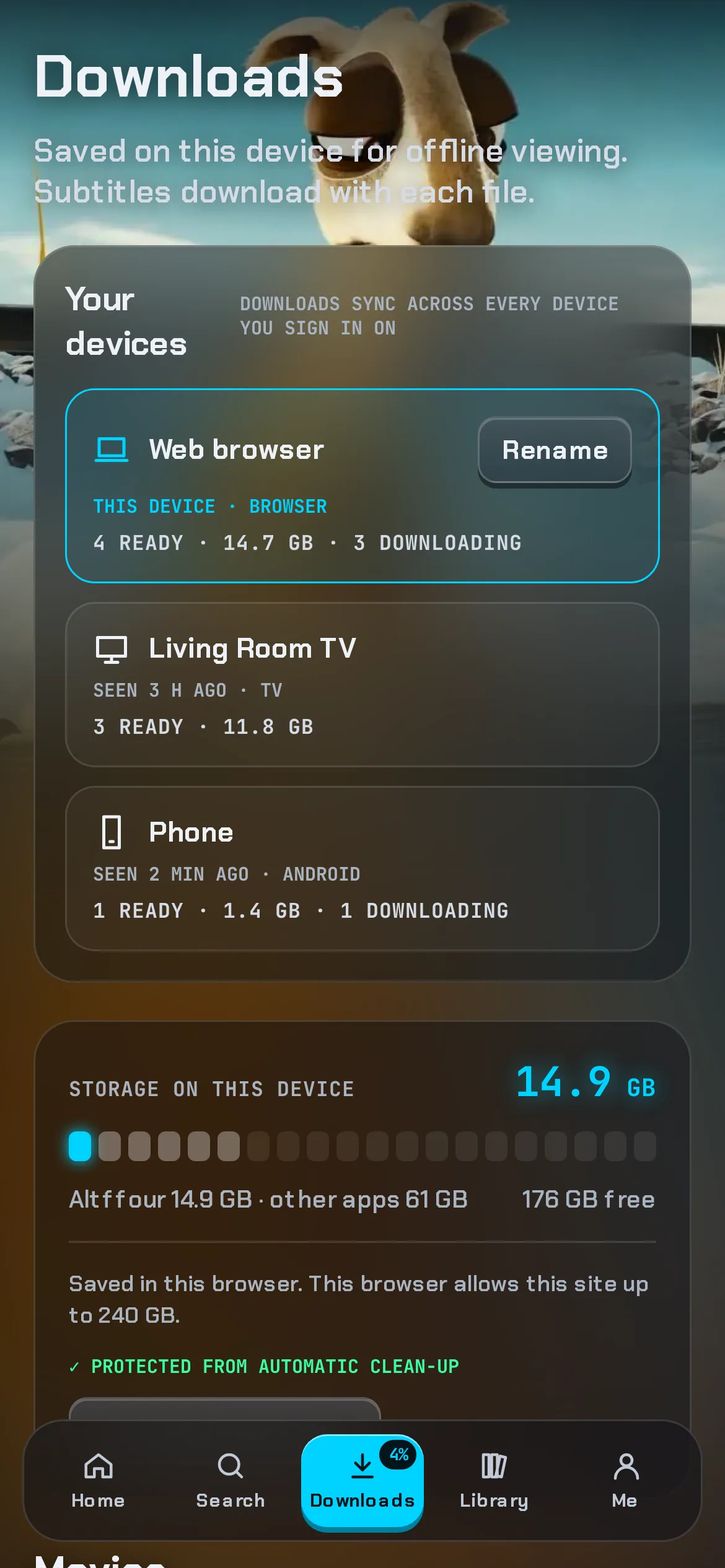
Works with any Jellyfin server
Altffour works with plain Jellyfin. Server owners can install the free Companion plugin for faster pages, smaller artwork downloads, Home discovery rows and skip markers that every Jellyfin app can use.
Questions
Yes. Altffour is a player for a Jellyfin server you run yourself or one you've been invited to. It doesn't come with any films or shows; you watch what's on that server.
Altffour works with Jellyfin 10.10 and newer. The optional Companion plugin needs Jellyfin 12.1 or newer, and is tested on 12.1 and 12.2.
Yes. Downloads play inside the app with their subtitles, and the app opens without a connection. Your progress is sent to the server when you're back online.
No. Altffour uses Jellyfin's normal sign-in and saves your preferences to your account like any Jellyfin app. Companion is optional and only adds things.
With late nights, a lot of coffee and some help from AI. I'm a developer and DevOps engineer, and I've been building things like this since I was a kid. Altffour started as a way to get rid of my streaming subscriptions and turned into a rabbit hole. The goal is one app that does everything for Jellyfin, since none of the others quite did it all. Have a feature in mind? Share it in the Discord server, which is also the place to learn about the features you might not find on your own. AI coding tools help me make the most of my free time, but I review and test every change before it ships, nothing is copied from other projects, and I use Altffour every day myself.
There's a beta for Android phones and tablets, Android TV and Fire TV on the download page. It isn't in an app store yet, so you install it from the file there; later versions, Google Play's too, install over it. You can also open Altffour in your browser and install it from there; it works like an app, with its own icon and offline downloads.