
Every feature
What Altffour adds to Jellyfin
Altffour works with your Jellyfin server and everything already on it. Here's everything it does beyond Jellyfin's own web app. Features marked Companion need the free plugin on your server; the rest work with any Jellyfin server.
At a glance
Altffour next to Jellyfin's web app
| Feature | Jellyfin web | Altffour | Notes |
|---|---|---|---|
| Movies, shows, music, books and Live TV from your server | Yes | Yes | |
| Plays on phones, computers and TVs | Yes | Yes | Altffour installs from the browser, and its Android and Android TV app is in beta. |
| Offline downloads that play in the app | No | Yes | Jellyfin's web app saves the file but has no offline player. |
| Downloads across your devices | No | Yes | See each device's downloads and send them between devices. |
| Opens with no connection | No | Yes | Altffour opens offline and takes you to your downloads. |
| Skip intros, recaps and credits | Partly | Yes | Jellyfin needs a server plugin that scans your files; Companion finds markers without scanning. |
| Up next when the credits start | Partly | Yes | Jellyfin shows a next-episode overlay near the end. |
| Subtitle styles with a live preview | Partly | Yes | Jellyfin has size, font, colour and background; no glass background, accent colour or preview. |
| Foreign-audio subtitle mode | Yes | Yes | Altffour applies it to every subtitle, downloads included. |
| Separate languages for anime | No | Yes | Keep anime in Japanese with subtitles while everything else uses your normal languages. |
| Because you watched and Top 10 rows on Home | No | Yes | |
| Remove titles from Continue watching | No | Yes | |
| IMDb, Rotten Tomatoes and TMDB scores with reviews | Partly | Yes | Jellyfin shows a community and a critic rating. Altffour's scores need Companion and the server's ratings keys. |
| Live TV guide with logos and favourites | Yes | Yes | |
| Live TV categories and channel search | No | Yes | |
| Listen together | Partly | Yes | Jellyfin's SyncPlay groups are picked from a list; Altffour's Jams join with a code. |
| Admin defaults and locks for every user | No | Yes | Set default languages and skip behaviour for everyone, and lock them. |
| Themes | Partly | Yes | Jellyfin has six themes and custom CSS; Altffour has seven, a theme builder and any accent colour. |
| Installs as an app that updates itself | Partly | Yes | Jellyfin's web app has a basic install; Altffour adds offline start, shortcuts and update prompts. |
yes partly no. Compared with Jellyfin's own web app; the official mobile and TV apps differ.
How fast a film or show page opens in each app, measured on one server, is on the Comparison page.
A Home that knows what to watch
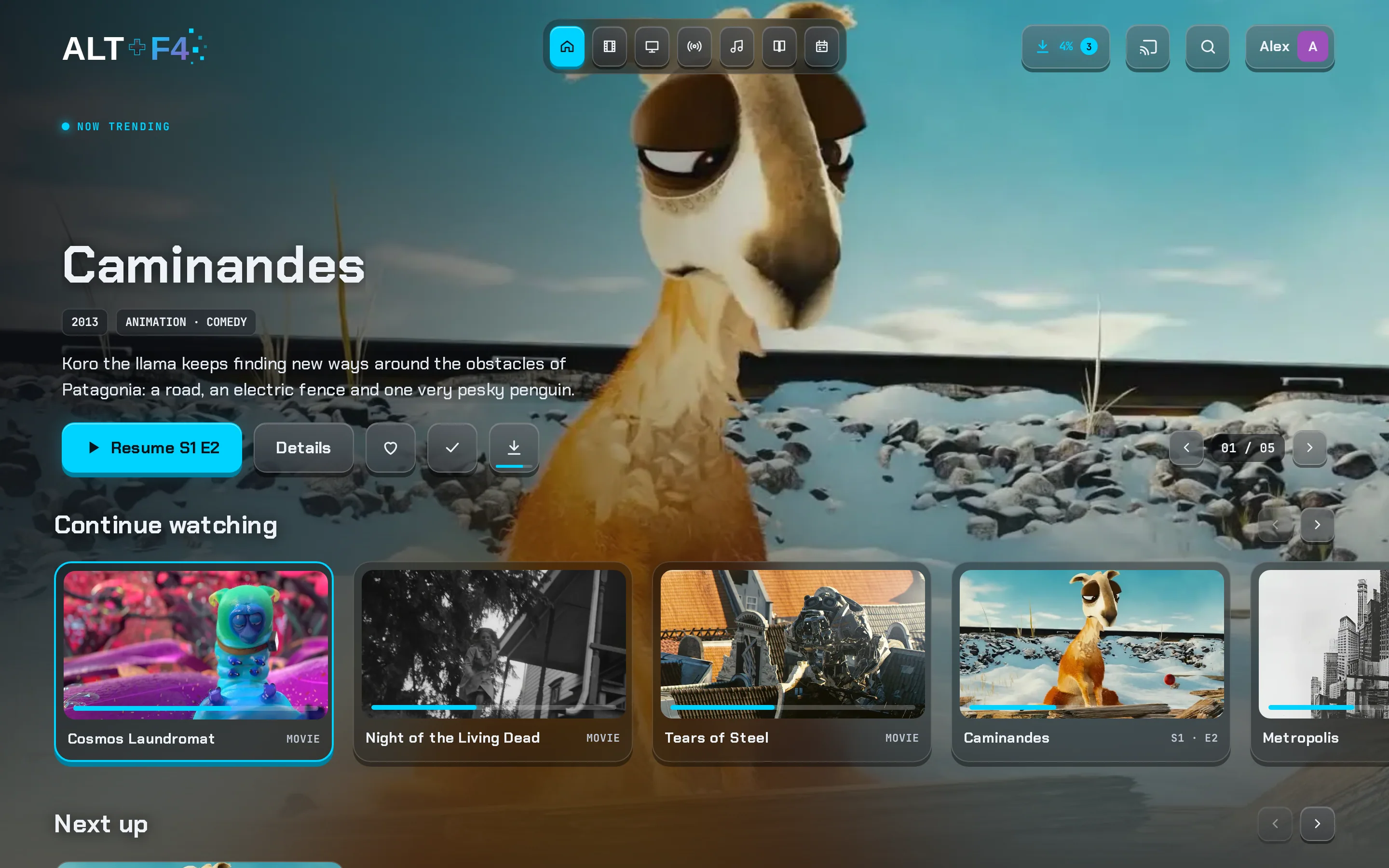
The first screen puts what you're in the middle of, and what you'll like next, right up front.
Featured titles
A big hero with the title's logo, its details and Play, Details, My List, Watched and Download keys. It rotates every few seconds, or not, as you prefer.
Jellyfin web: no featured hero.Continue watching you can tidy
Remove a title without losing its watched state, clear a whole show, or start a show again from the beginning.
Jellyfin web: no way to remove items.Because you watched
Suggestions based on what you just finished, right on Home.
Jellyfin web: suggestions only on the Movies tab.Top 10, trending, latest and top rated
Worked out from your library on any server. With Companion, real-world trending lists matched to what's on your server, with rank numbers. Companion
Jellyfin web: none of these rows.Rows your way
Reorder rows, switch them off, or apply the recommended order in one tap.
Quick details
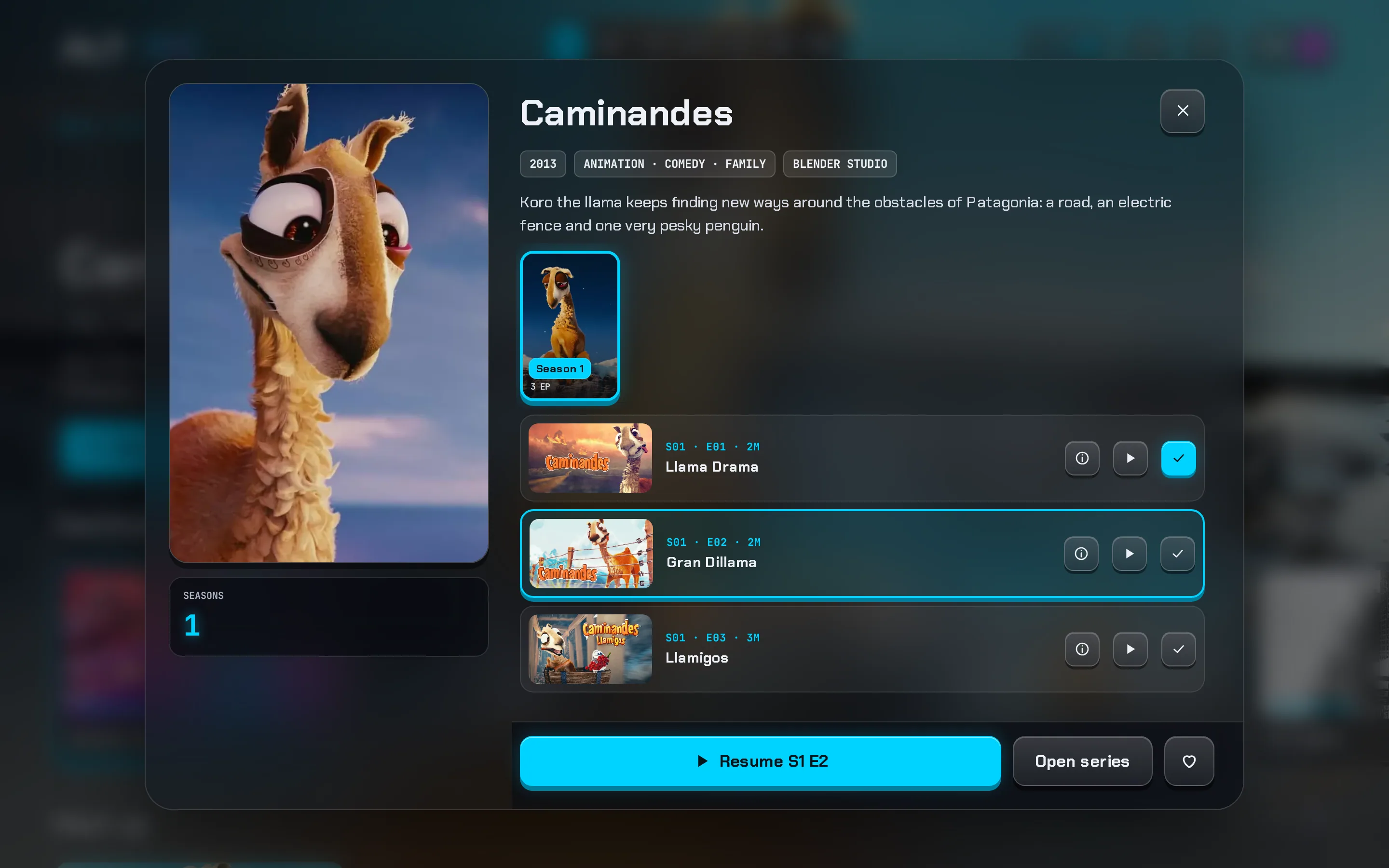
Open any card for seasons, episodes and a Play key that follows the episode you pick, without leaving the page.
Pull to refresh, instant back
On phones, pull down to refresh. Going back shows the last screen immediately.
Details pages worth reading
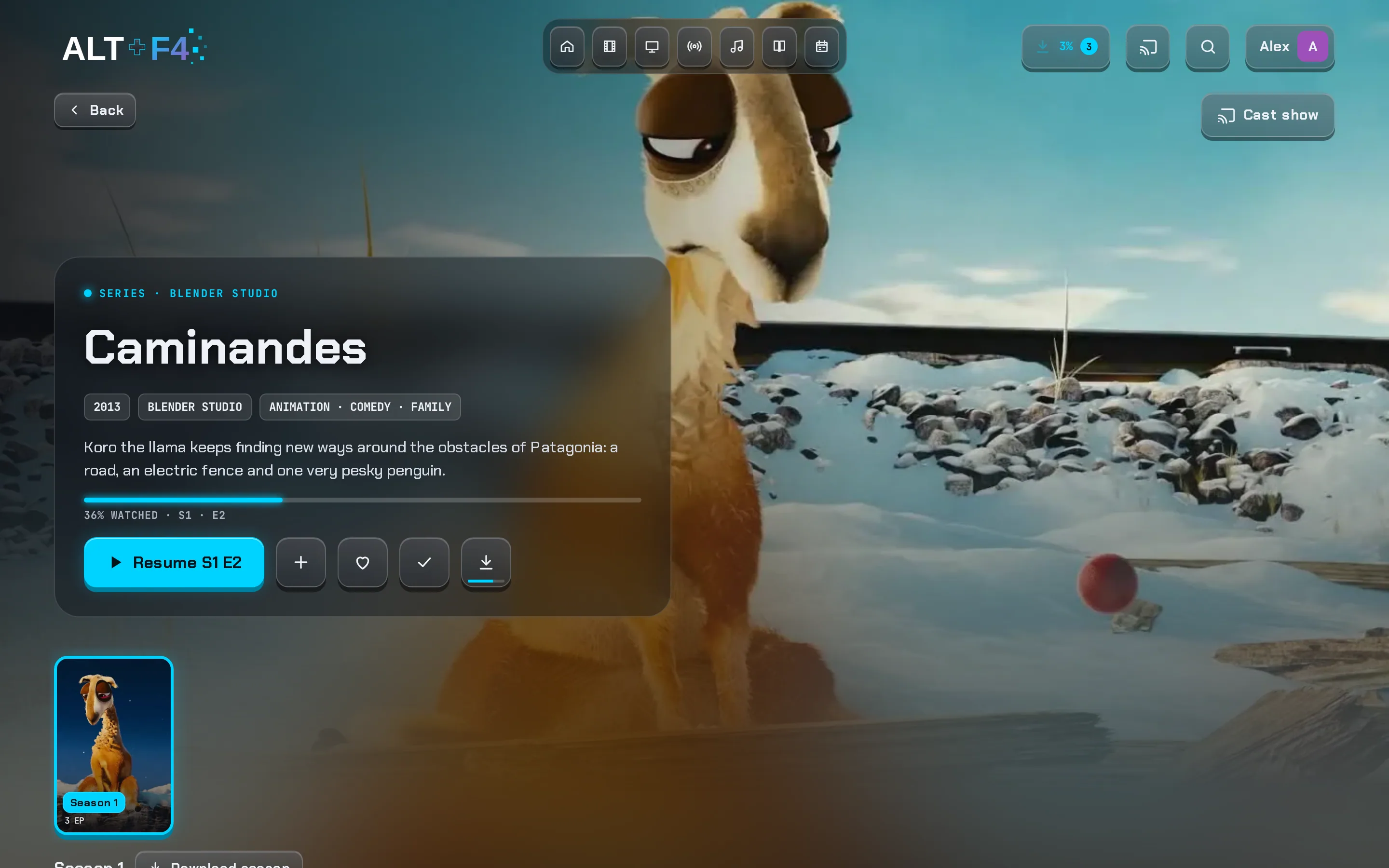
Everything about a film or show in one place, laid out to be scanned in seconds.
Scores and reviews
IMDb, Rotten Tomatoes and TMDB scores. Tap one for TMDB member reviews. Uses your server's shared keys, or add your own free TMDB and OMDb keys in Settings. Companion
Jellyfin web: community and critic rating only.A picture-quality table
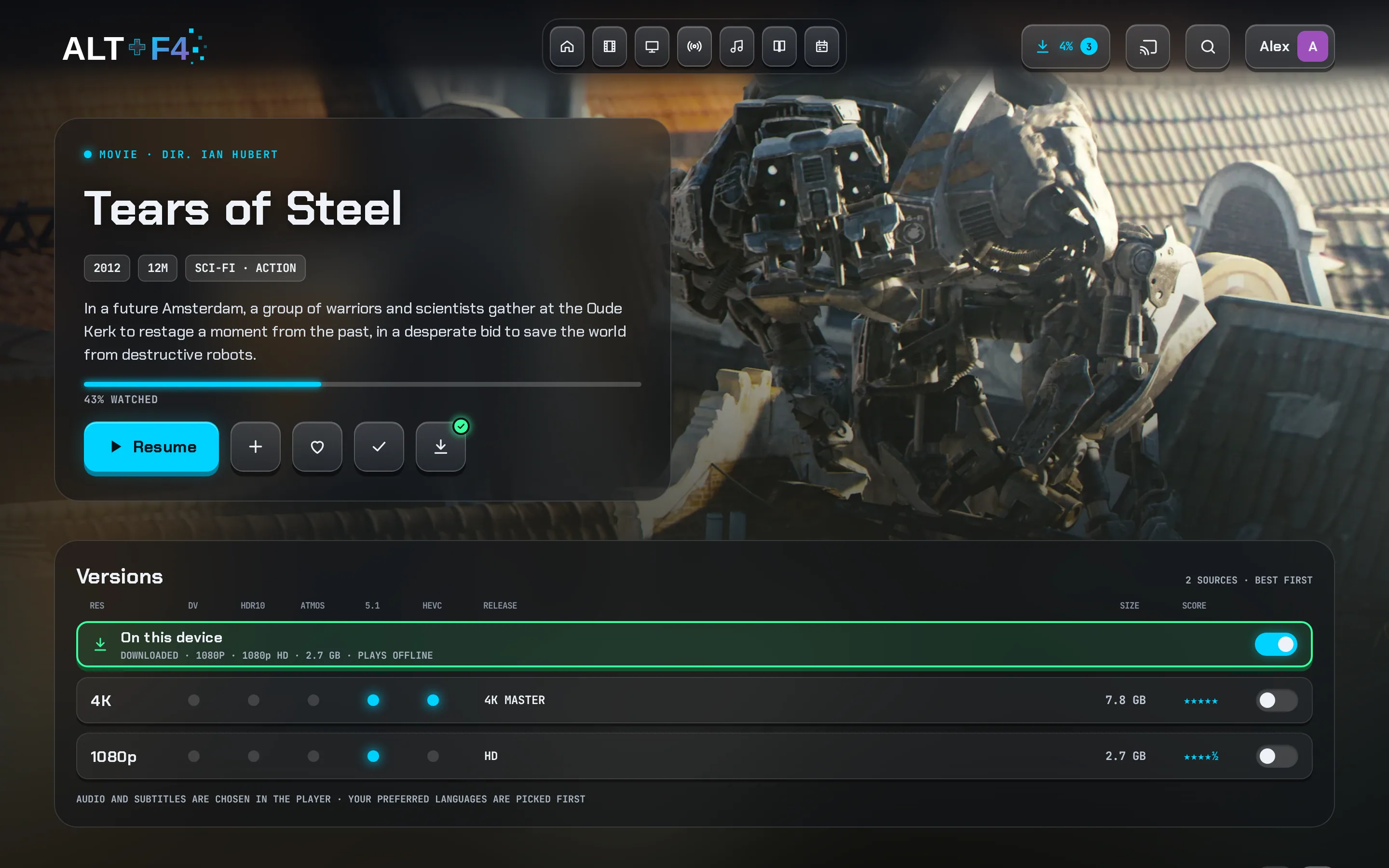
Every version with its resolution, Dolby Vision, HDR10, Atmos and 5.1 lights and size. The one you pick carries into the player; downloaded copies are marked "On this device".
Jellyfin web: a version drop-down.Trailers, cast and more like this
A trailers row, cast and crew with character names, person pages and similar titles.
Seasons as posters
Seasons in a scrolling strip of posters with episode counts. Season 1 first, never Specials, and every episode has its own page.
Pages in the title's colours
Full-page artwork and colours taken from each title. Both can be switched off.
A player that just works
Fewer taps, fewer failures, and the little things done right.
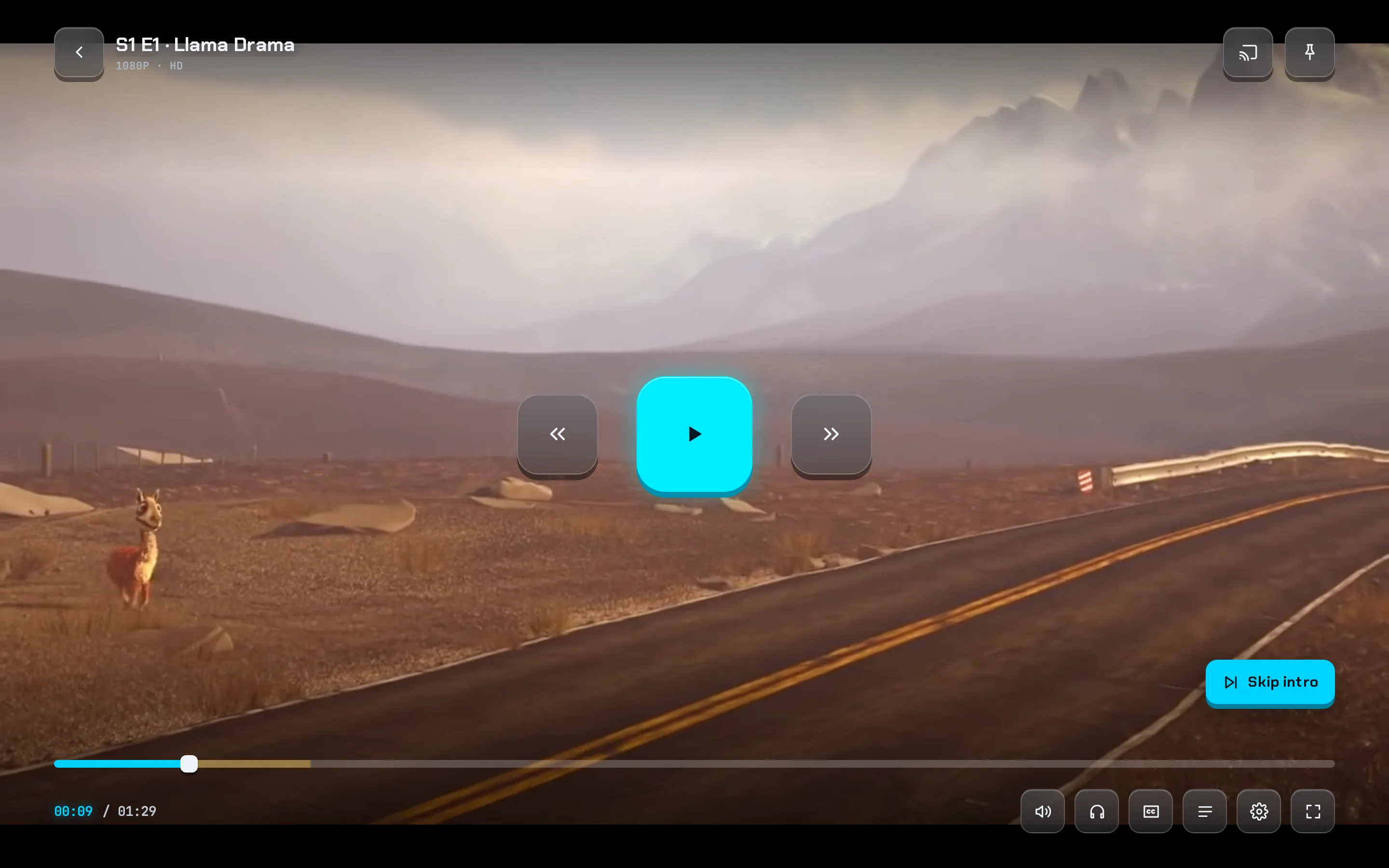
Skip intros, recaps and credits
Show a Skip button or skip automatically. Skipped parts are marked on the seek bar. Markers come from your server's own segments, or Companion finds them without scanning your files and saves them for every Jellyfin app. Companion
Jellyfin: needs a plugin that scans every file on the server.Up next at the credits
The next episode card appears when the credits start, counts down, and rolls over to the next season. Autoplay can be switched off.
The audio you asked for
Pick a language and that track really plays, even when it isn't the file's default.
Seek-bar previews on every title
Thumbnails while you scrub. Today from your server's trickplay images; Companion will make them on the fly for titles that have none. Coming to Companion
Jellyfin: only titles the server has run its trickplay task on.Versions and speed in one panel
Switch version and pick up where you were, including copies you've downloaded. Speed from 0.5× to 2×.
Recovers by itself
A failed stream retries once, then offers Try again or another version. If the browser blocks sound, it starts muted with an unmute key.
Cast anywhere
One sheet for other Altffour and Jellyfin apps, Google Cast and AirPlay, with a full remote: seek, volume and switch device.
Keyboard, remote and touch
Space, arrows, volume, speed, full screen and mute keys; D-pad navigation on TVs; tap and long-press on phones. Picture-in-picture too.
Subtitles and languages
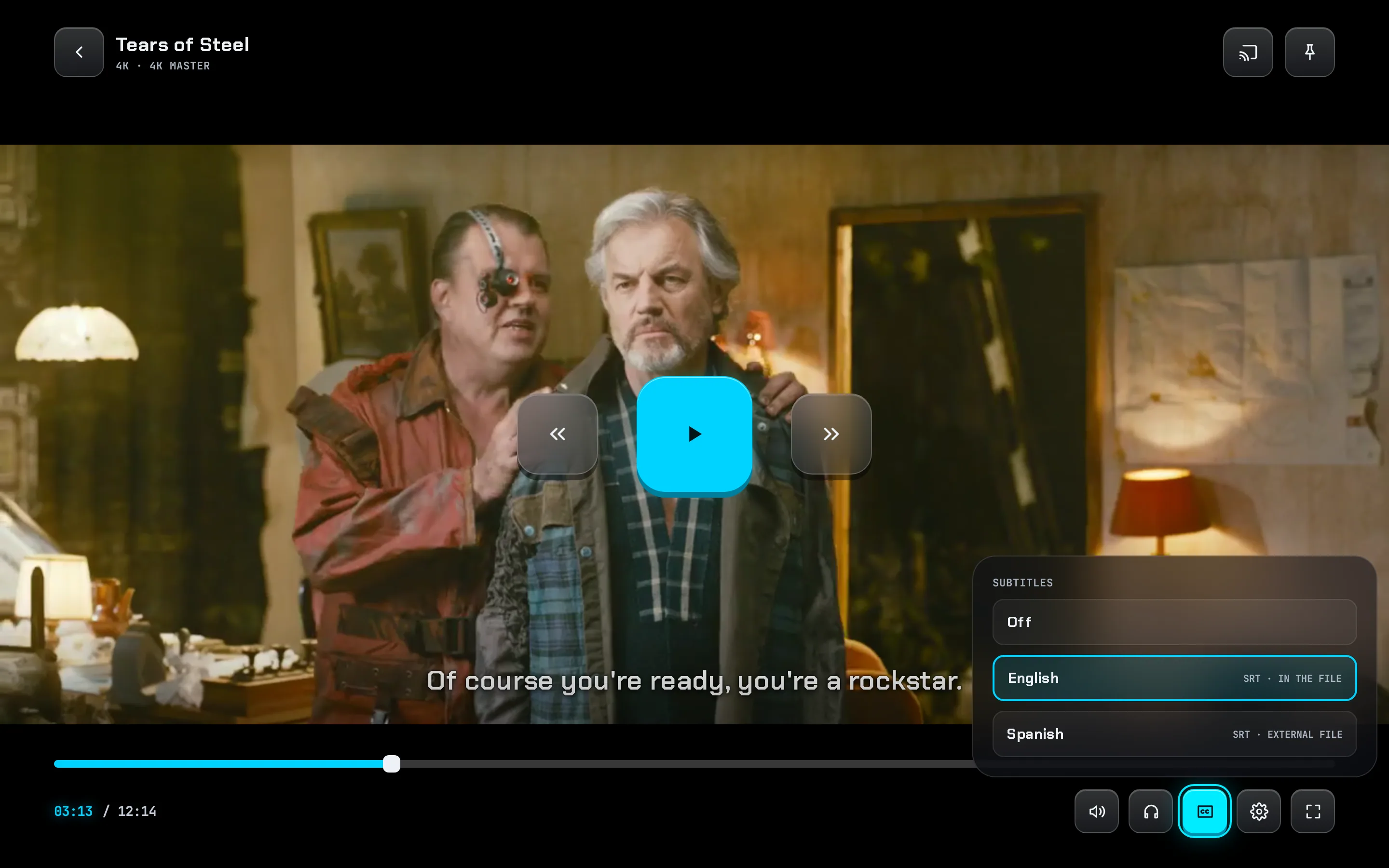
Set them once and forget them, for films, shows, anime and downloads alike.
Your subtitle style, with a live preview
Size, five colours or your accent colour, four fonts, shadow, outline or raised edges, a box or frosted-glass background with adjustable opacity, and three positions.
Jellyfin web: similar options, no glass background, accent colour or live preview.Foreign-audio mode
When the audio's in your language, only forced captions show; otherwise full subtitles. Works for every subtitle, downloads included.
Anime has its own languages
Keep anime in Japanese with your subtitles ("sub over dub") while everything else uses your normal languages.
Jellyfin: one language setting for everything.One style everywhere
Text and image subtitles, downloads and the app's own caption overlay all follow your style, keep italics and lift above the controls.
Subtitles in seconds on big files
Every subtitle track read in one pass from just before where you are, so captions show straight away even on very large files. Coming to Companion
Jellyfin: extracts the whole file first, which can take minutes.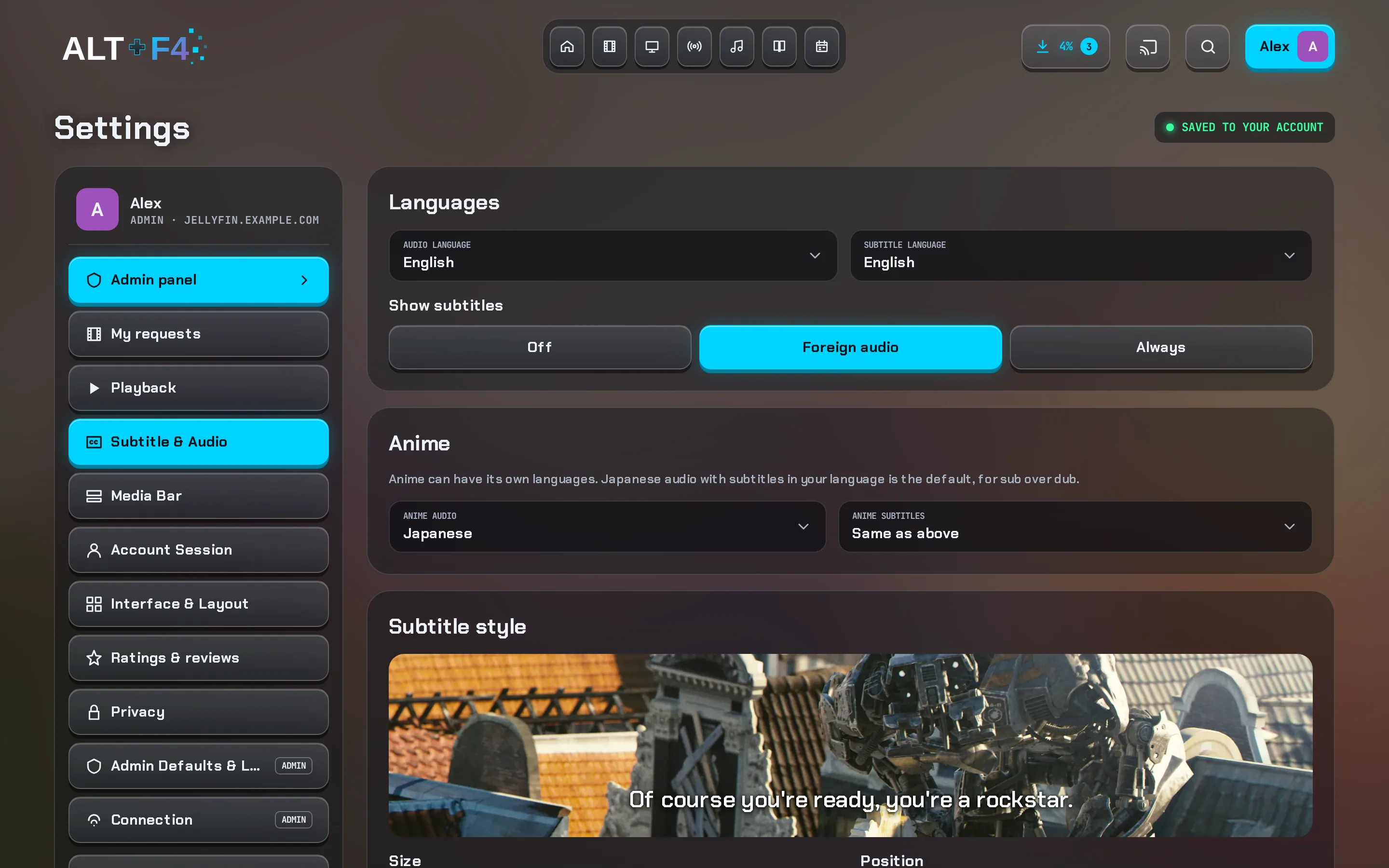
Downloads and offline
Real offline viewing, in your browser or the installed app.
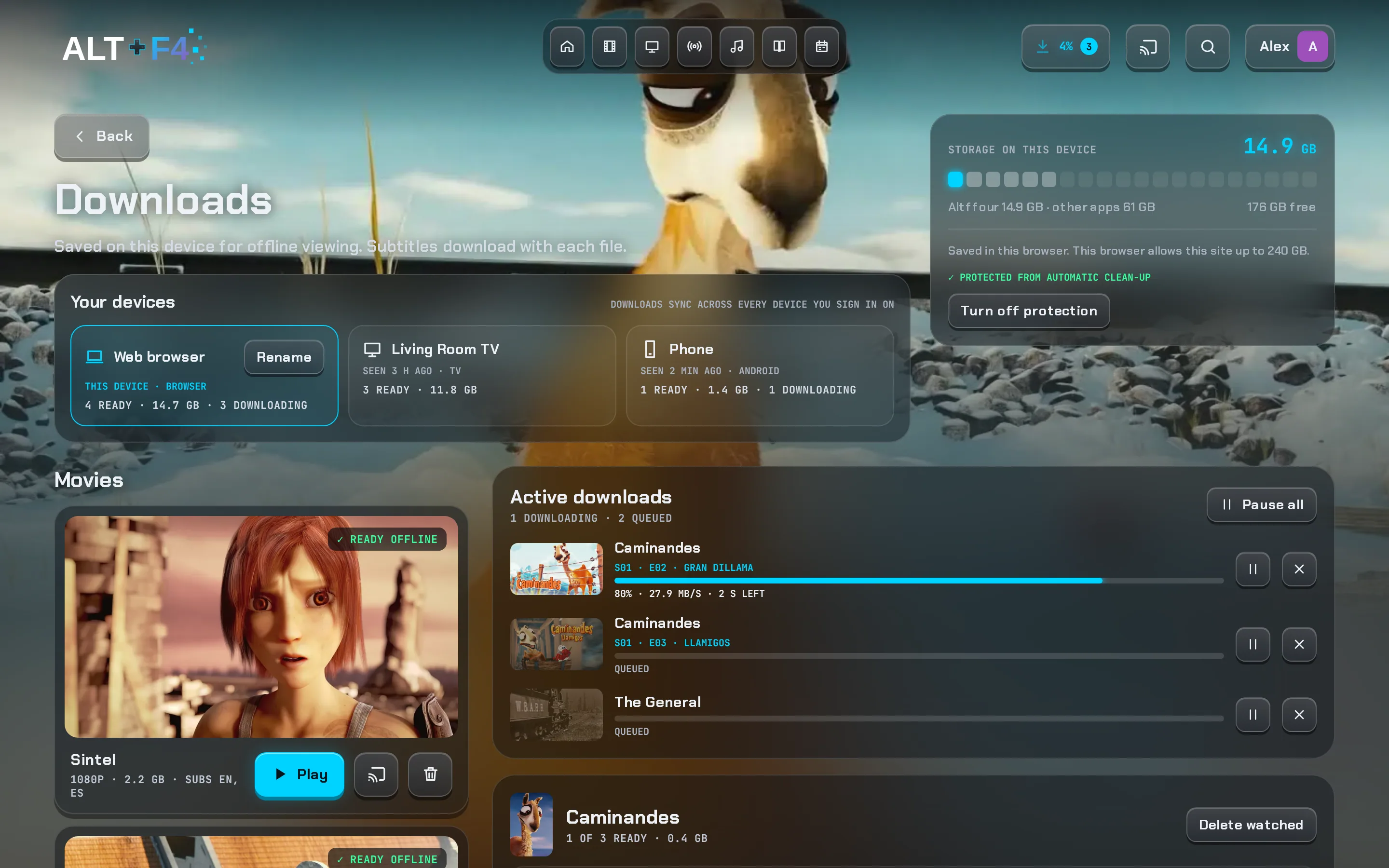
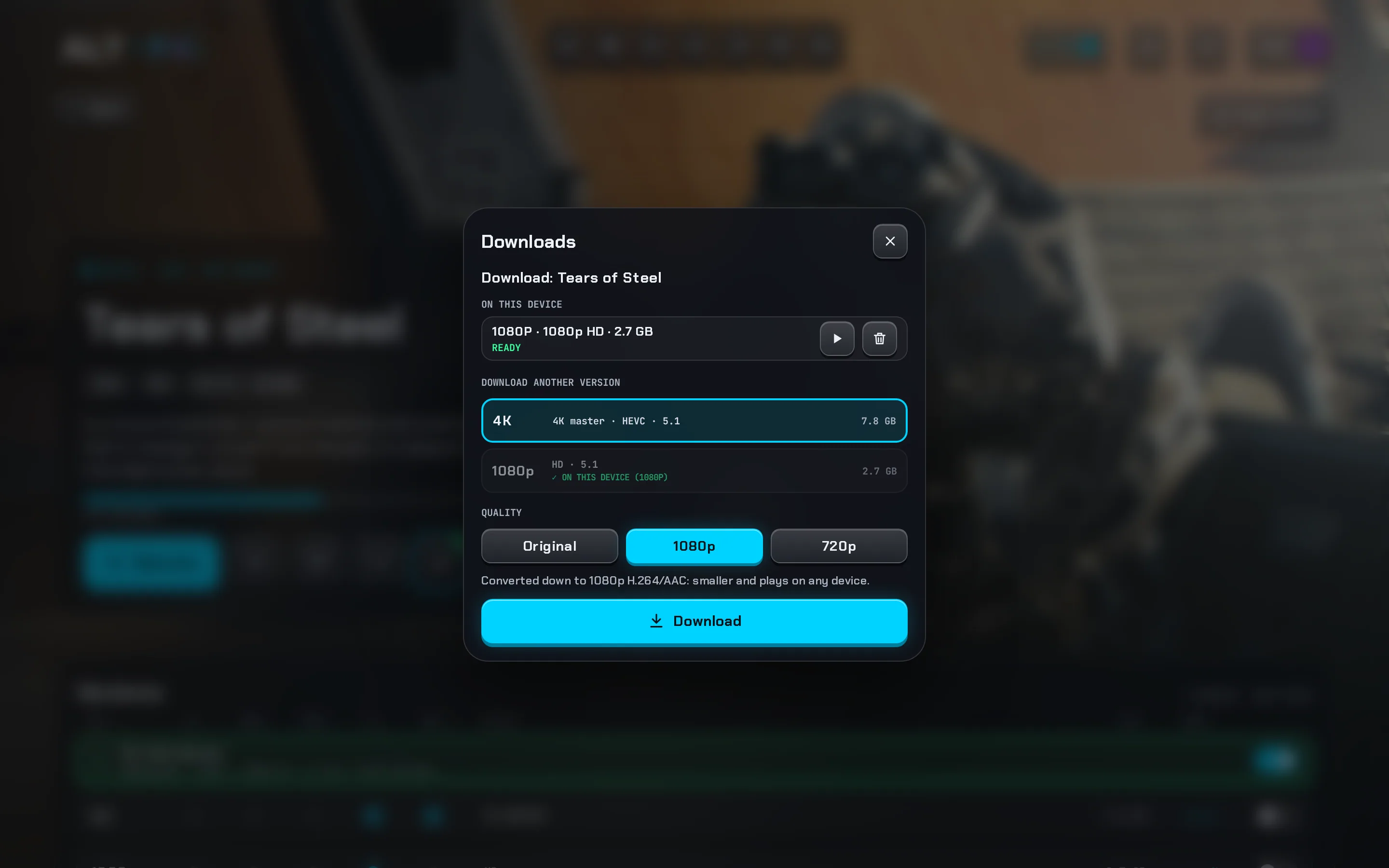
Downloads that play offline
Choose a version and quality: the original, or a smaller 1080p or 720p copy (never above the source). Download a film, an episode or a whole season.
Jellyfin web: saves the file, with no offline player.A proper download manager
One at a time, with pause, resume, retry and cancel. Originals resume where they stopped. Progress shows in the top bar and on every download key.
Subtitles and progress come along
Your language's subtitles are saved with each download and shown in your style. Where you stopped is sent to the server once you're back online.
Downloads across your devices
See what's on your other devices, download it here, sync everything here, or send a download to another device for next time it opens.
Jellyfin: not available.Storage protection
A storage meter, and advice for your browser so it never clears your downloads to make room.
Opens with no connection
An offline banner links to your downloads, and an app opened offline goes straight there. Everything refreshes when you're back.
Music and books too
Save albums, playlists and books on the device. Saved music plays from the device even when you're online.
Live TV
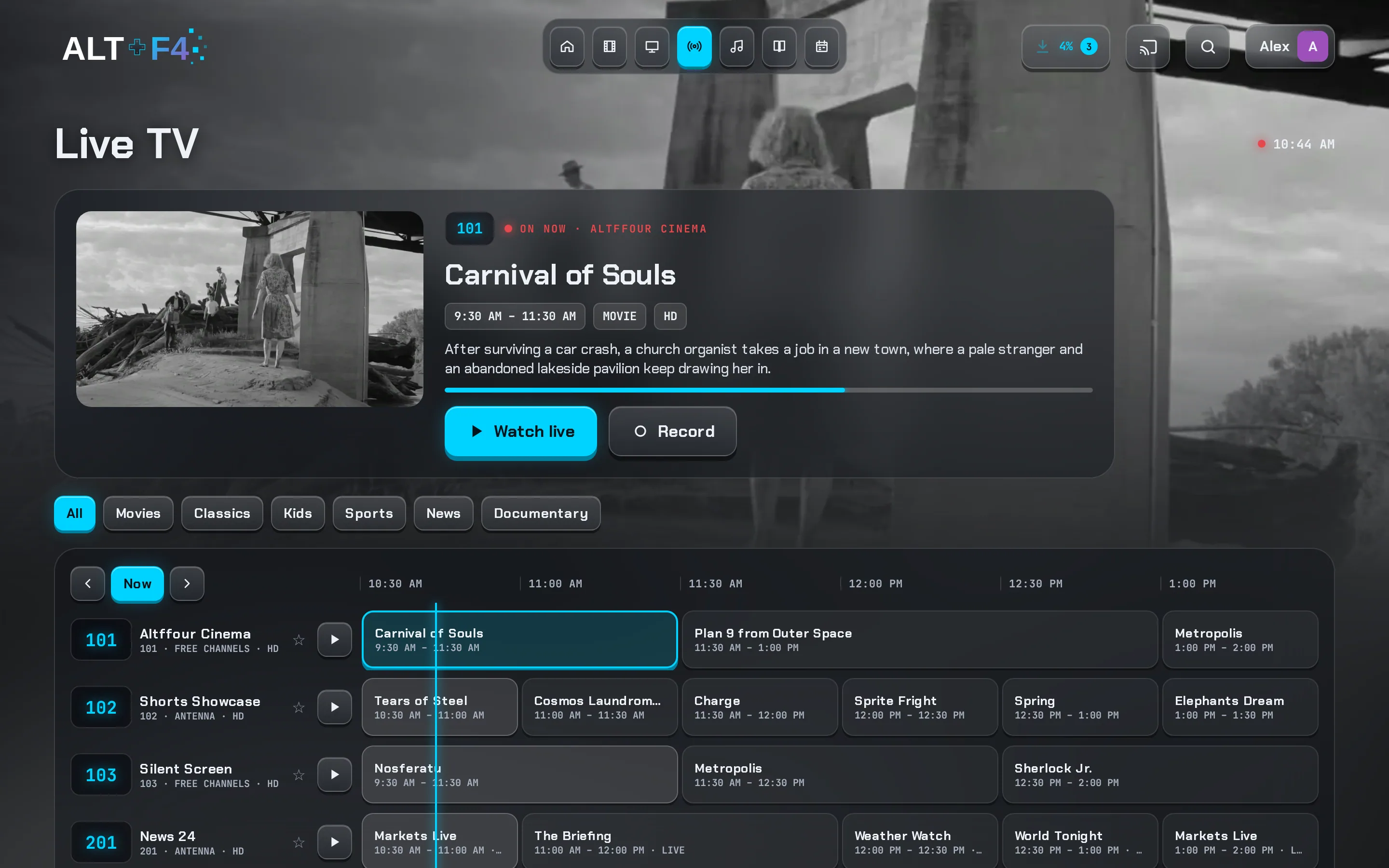
A guide that stays quick with a handful of channels or thousands.
A guide that scales
The whole lineup loads in moments, and listings load as you scroll. Every row has a play key.
Logos and an on-now panel
Channel logos on every row, and a panel with what's on now, Watch live and Record.
Categories across the lineup
Movies, Series, Sports, News and Kids filter every channel, not just the ones on screen.
Jellyfin web: no category filter in the guide.Search and favourites
Find a channel by name or number, and star favourites for their own group.
A live player that copes
A tuning screen with a timer, Try again, catch up to live, and channel up and down.
Music and books
Your music and reading, with the same polish as the films.
A music home
Your playlists, radio mixes that keep going, recently played, artists, albums and soundtracks from your library.
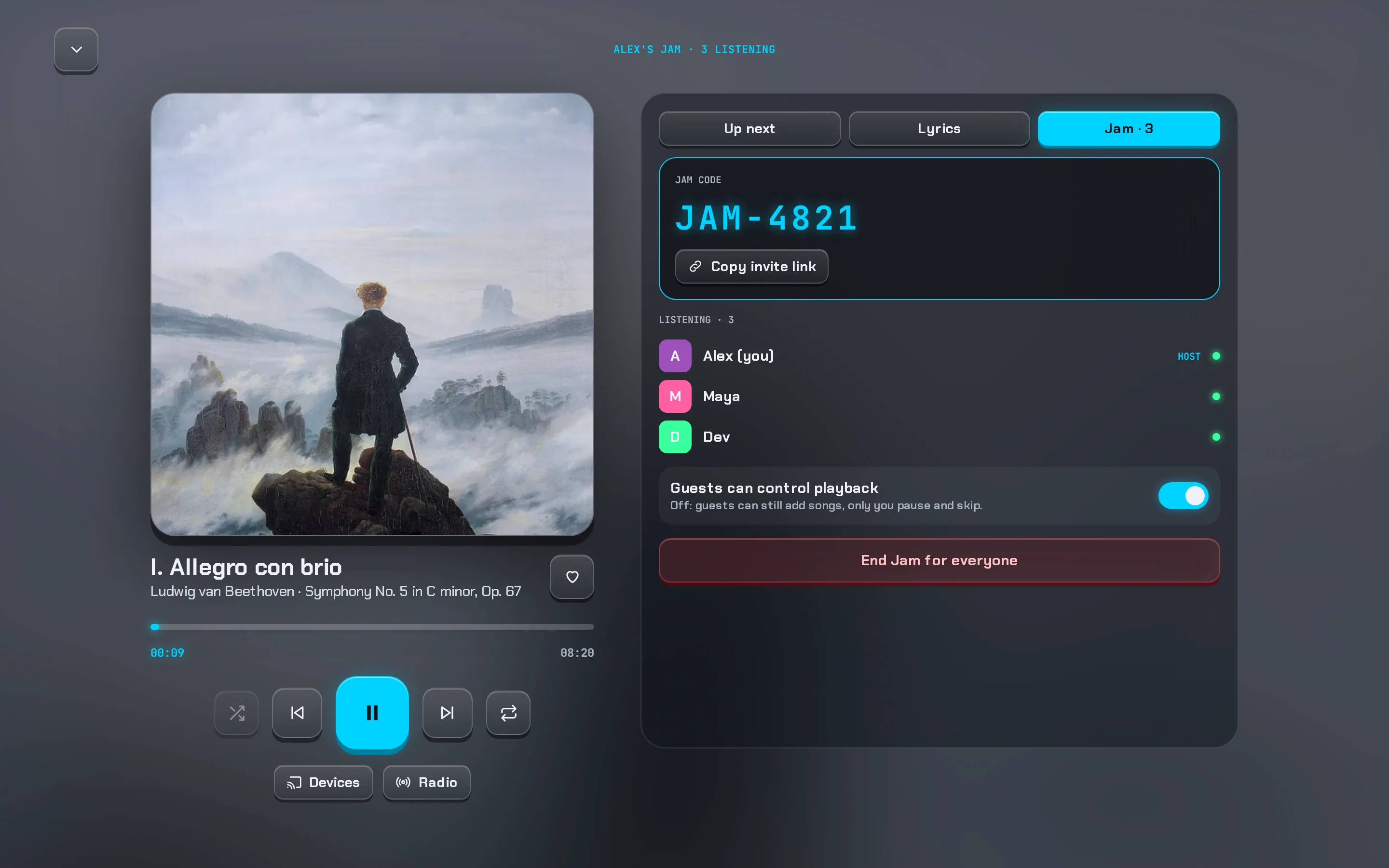
Jams: listen together
Start a Jam, share its code, and friends join in to hear the same moment and add to one queue. Built on Jellyfin's SyncPlay.
Jellyfin web: SyncPlay groups picked from a list.Synced lyrics
Lyrics that highlight line by line as the song plays, from your files' lyrics.
Books and audiobooks
An EPUB and PDF reader with text size and Glass, Night or Sepia themes; audiobooks with chapters; both can be saved offline.
Search, requests and calendar
Find things fast, ask for what's missing, and see what's new in your library.
Search that keeps up
No dropped letters when you type fast, a top result with the title's logo, films, shows and people, recent searches and genre tiles.
Tidy genres
Different spellings of the same genre are merged, so Sci-Fi and Science Fiction are one page.
Jellyfin web: each spelling is its own genre.Requests
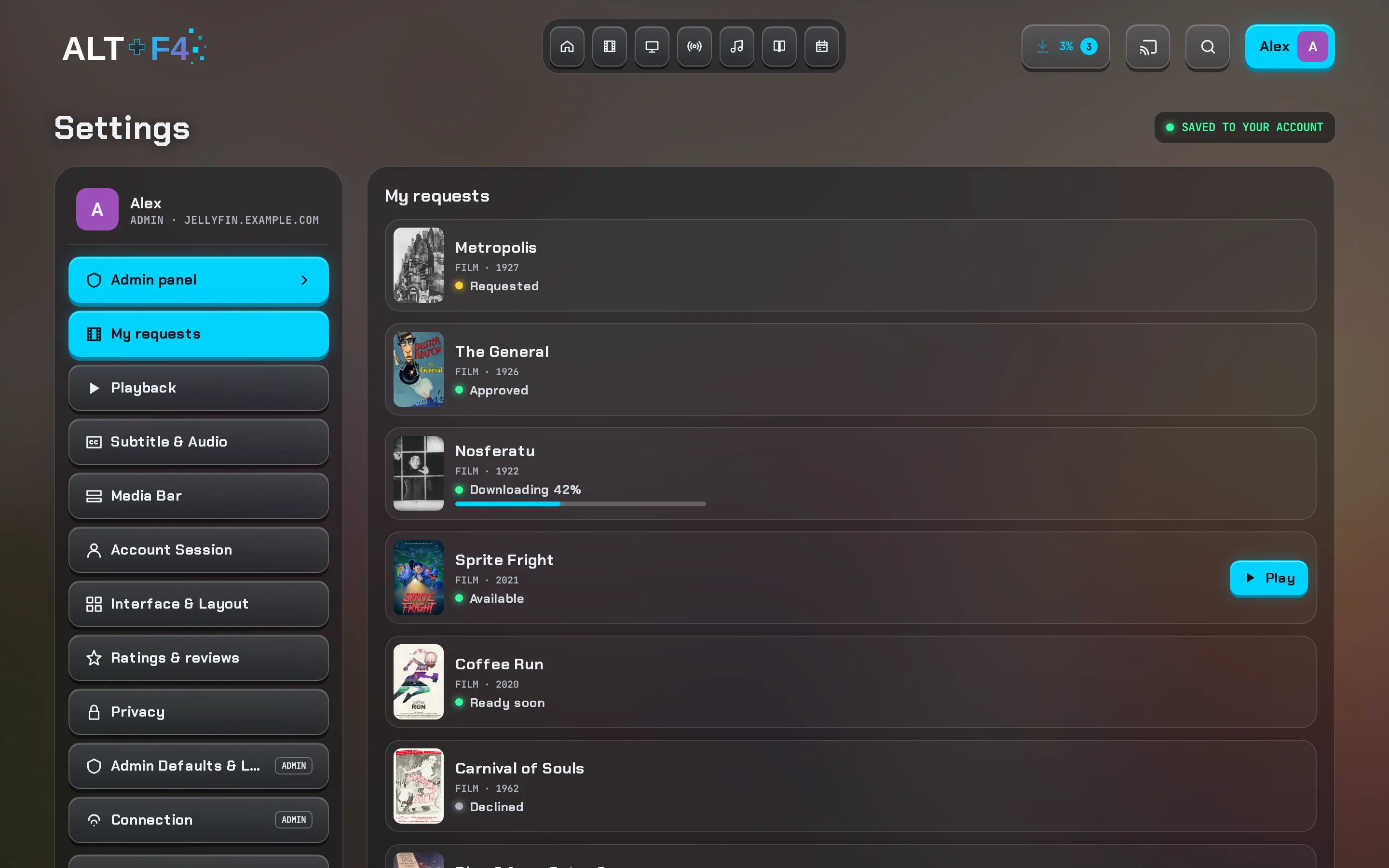
Members ask for films and shows that aren't on the server yet. Admins approve them, and members see each request through to Play. Works with Seerr, or straight with Radarr and Sonarr. Companion
Release calendar
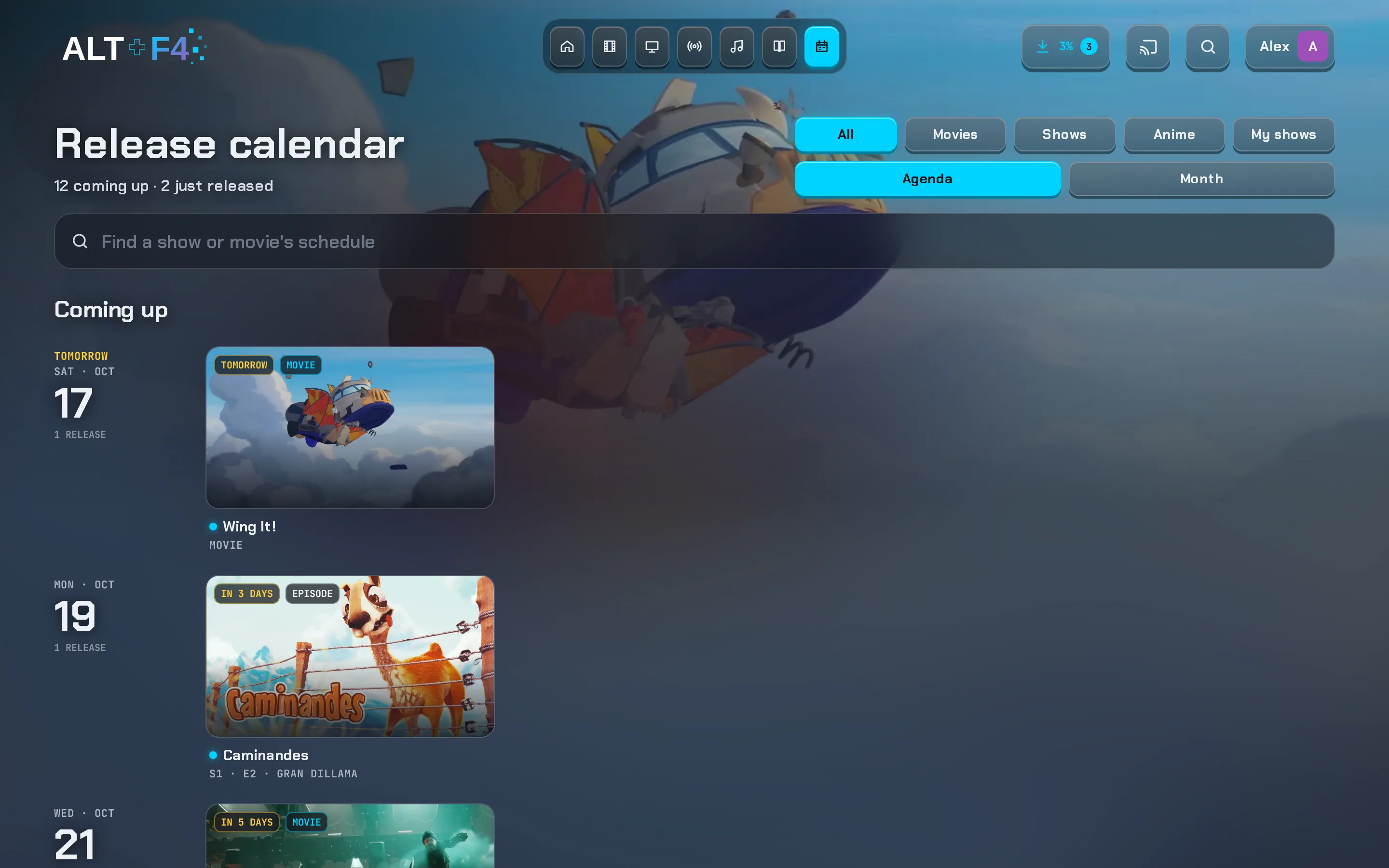
New episodes of the shows in your library by day or month, a "Just released" list, your shows marked, and each show's own schedule.
Jellyfin web: an Upcoming list on the TV tab.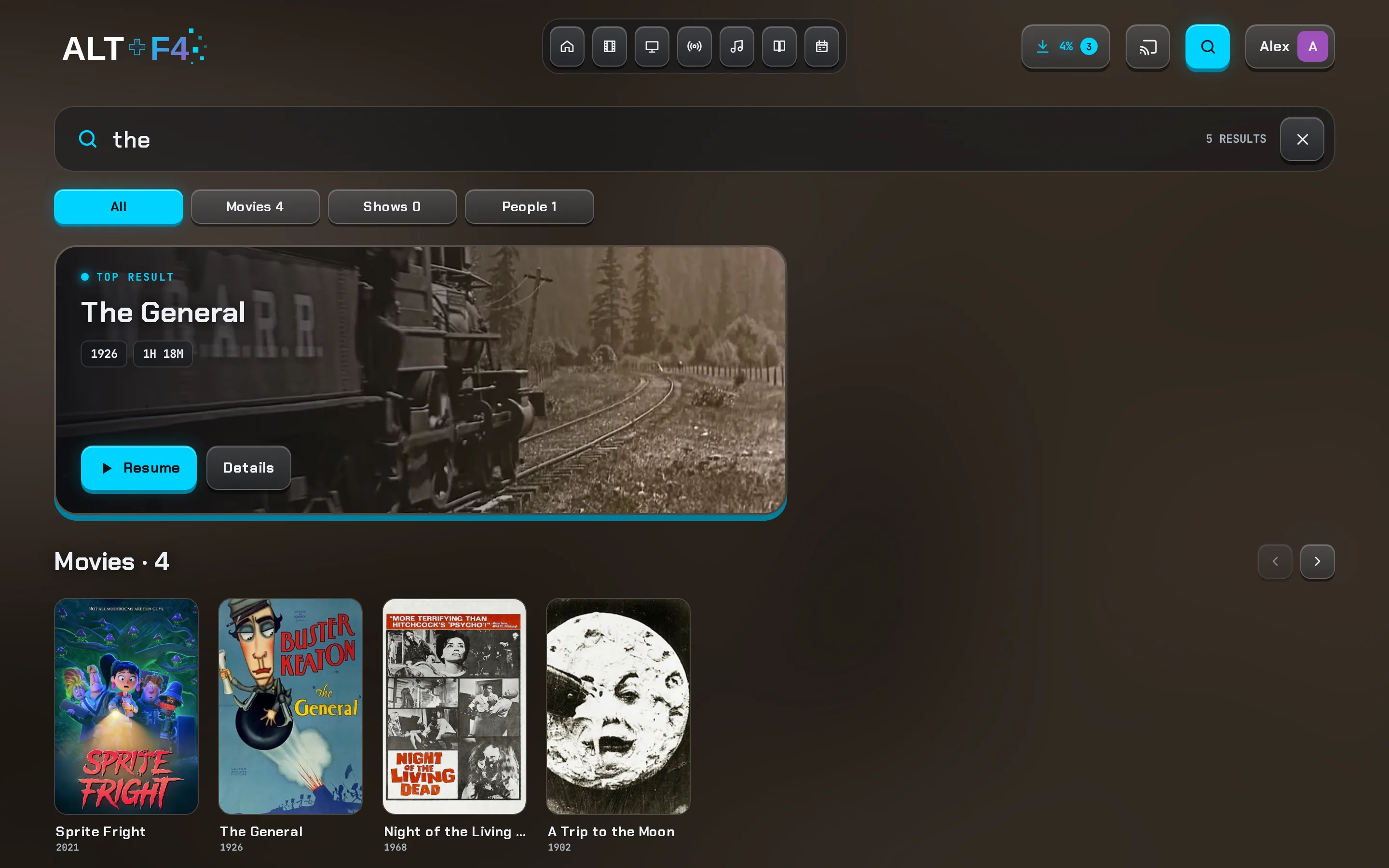
Look and feel
Make the app match your screen, your room or your mood.
Seven themes
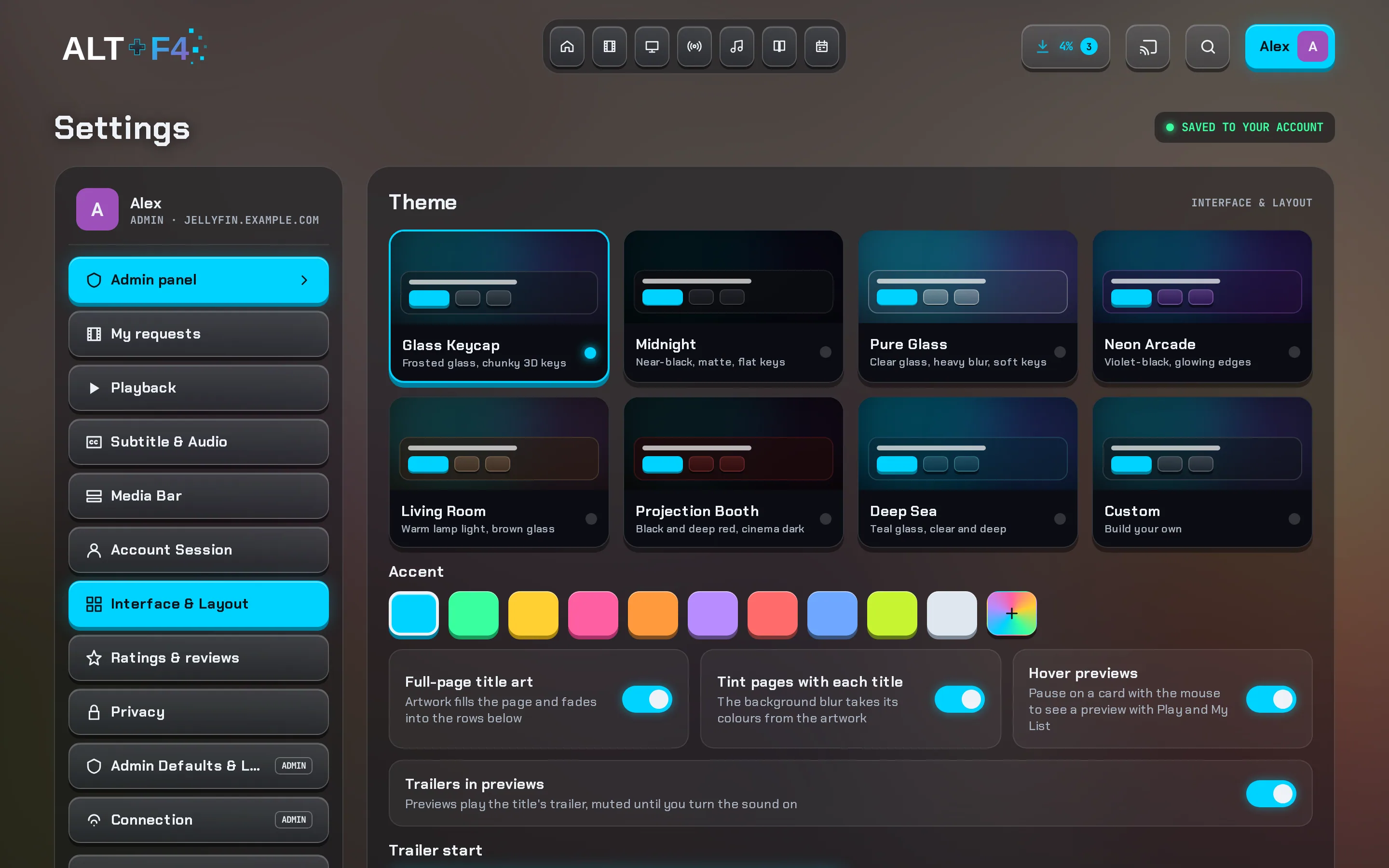
Glass Keycap, Midnight, Pure Glass, Neon Arcade, Living Room, Projection Booth and Deep Sea.
Jellyfin web: six themes, or write your own CSS.Build your own theme
Background, glass tint, opacity, blur, key depth, lines and artwork glow, with a live preview.
Any accent colour
Ten accents or any colour you like; colours too dark to read are lightened for you.
Density
Compact, Standard or Comfortable spacing. Your theme loads before the first frame, so there's no flash of the wrong colours.
For the whole household
For whoever runs the server, a few controls that make life easier for everyone else.
Defaults for everyone
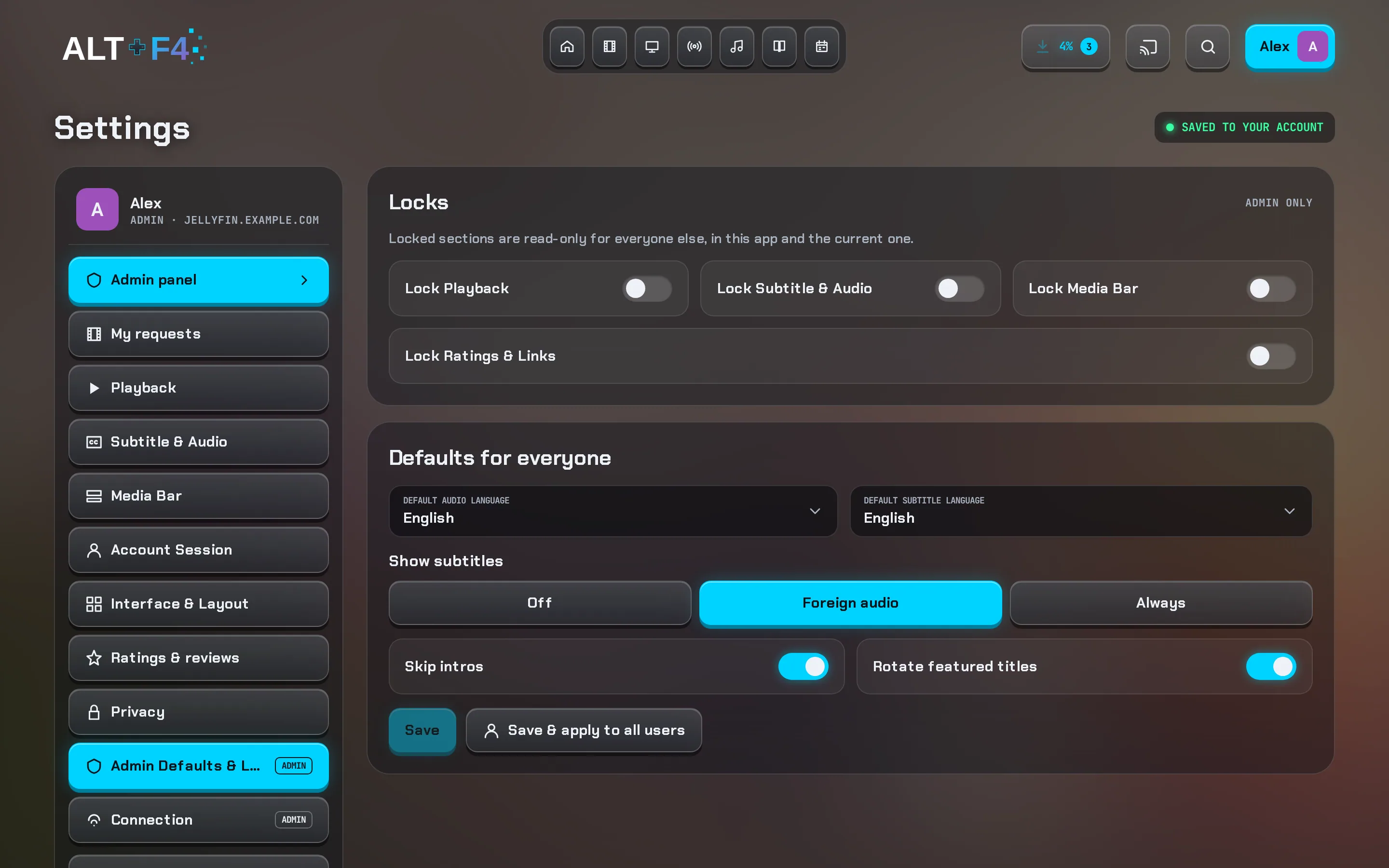
Admins set the default audio and subtitle languages, subtitle mode, skip behaviour and featured titles, and apply them to all users in one go.
Jellyfin: no way to set these for other users.Locks
Lock playback, subtitle and audio, featured-title or ratings settings, and others see them as "Set by your admin".
Live
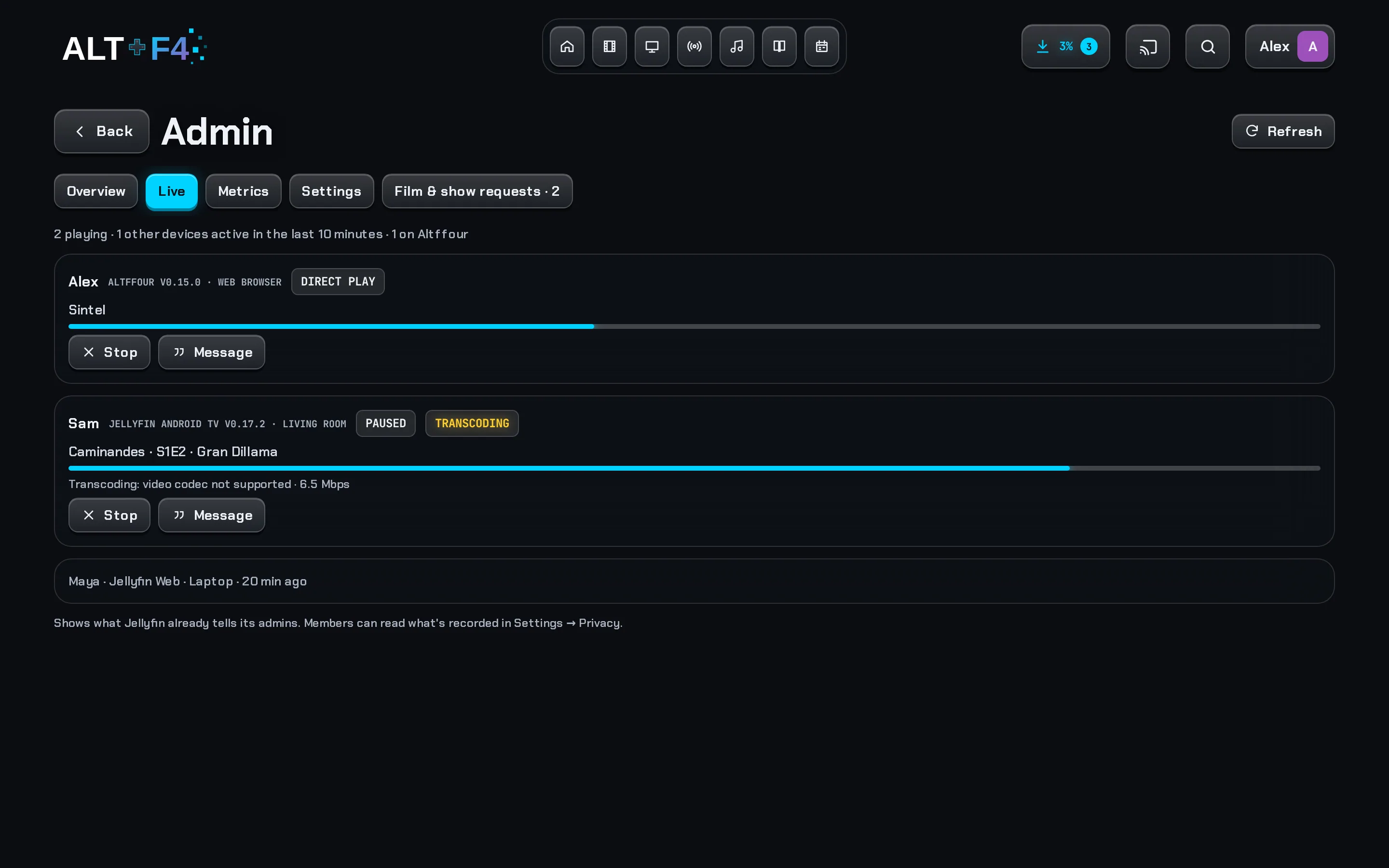
Every device that's playing, which app it uses, and whether it's direct play or transcoding, and why. The admin can stop playback or send a message.
Plugin settings in the app
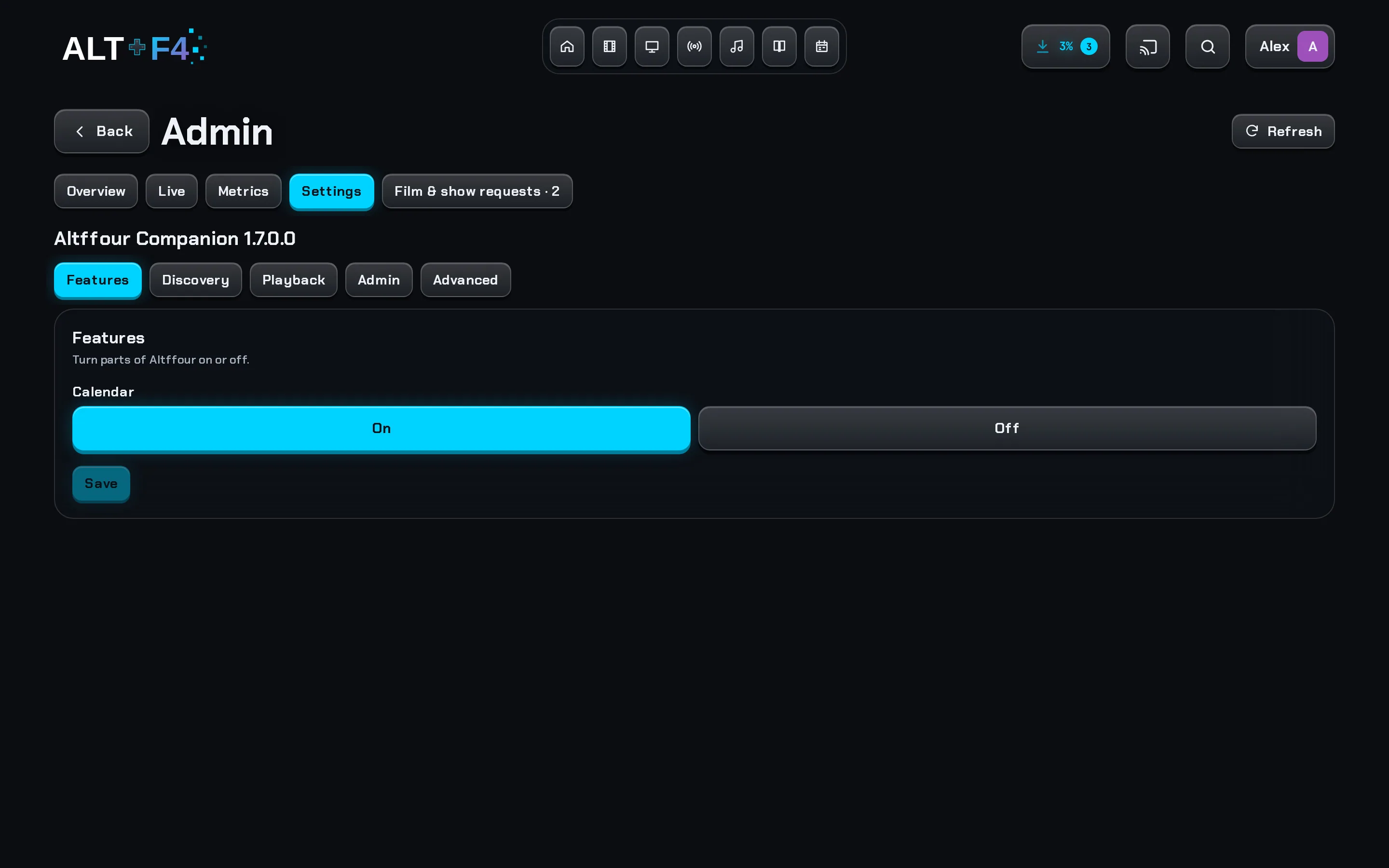
Every Companion setting, in tidy sections, from the admin panel. No trip to the Jellyfin dashboard, and keys only ever show as set or not set. The dashboard page shows the same sections. Companion
Metrics
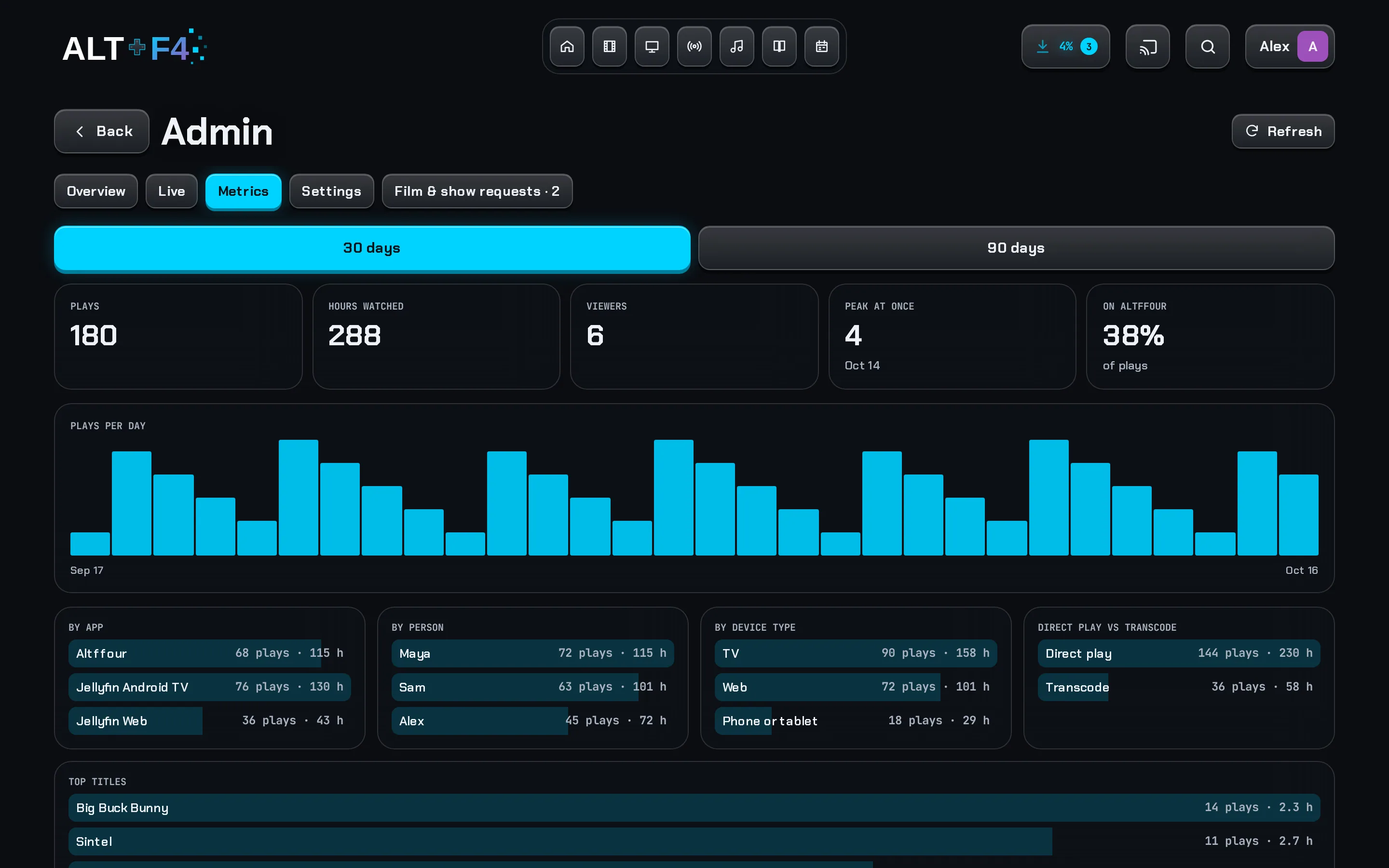
Plays and hours over 30 or 90 days, by app, person and device type, plus top titles and peak viewers. Read from Jellyfin's Playback Reporting plugin. Companion
Install it, and it's quick
An app you install from your browser today, and an Android and Android TV beta.
Installs like an app
Its own icon and window, home-screen shortcuts to Downloads, Live TV and Search, and a launch screen on iPhone.
Updates itself, never mid-film
"A new version is ready" appears when there's an update, but never while you're watching.
What's new
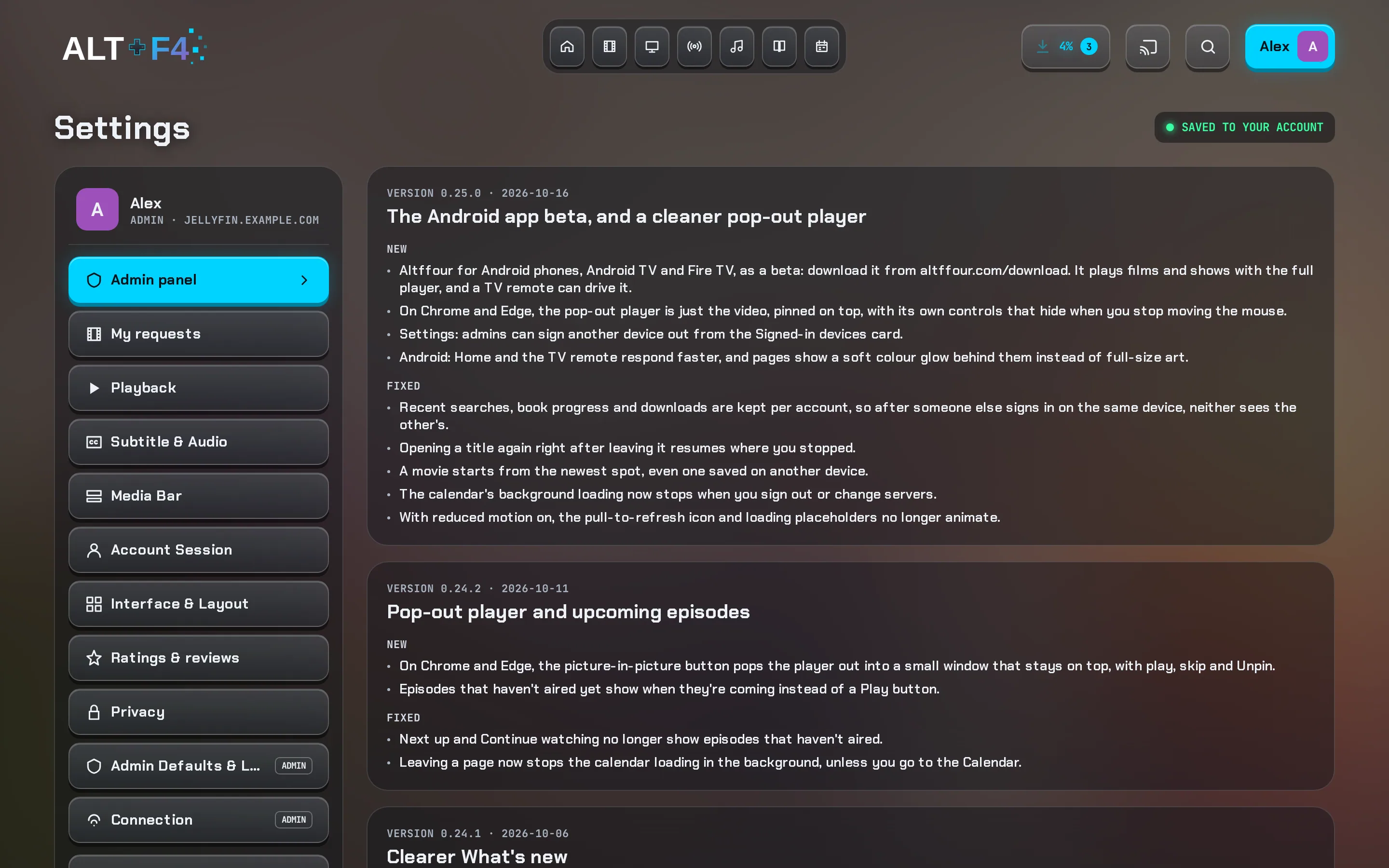
After an update, a banner links to What's new in Settings: each version's changes in plain words, newest first, with what got faster.
Fast to open
Home and your library are kept on the device, so a return visit appears instantly and refreshes behind the scenes. Main pages are fetched quietly when nothing else is happening.
Lighter on data
Pages load in small pieces as you need them. With Companion, artwork is resized for your screen and pages come back in one cached answer. Companion
Any Jellyfin server
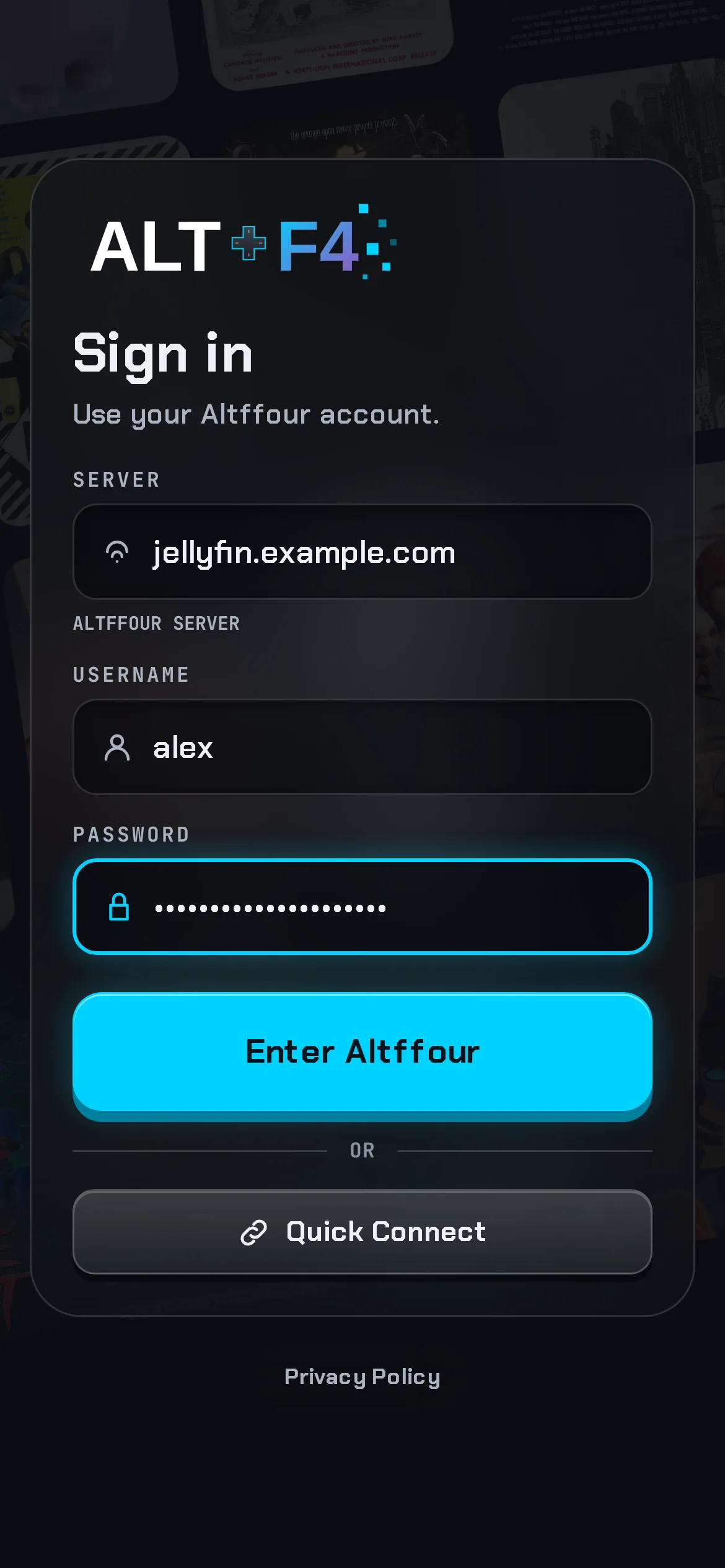
Sign in to any server with a live address check. The app only shows what your server supports, and remembers it so nothing jumps around.
Privacy, in plain words
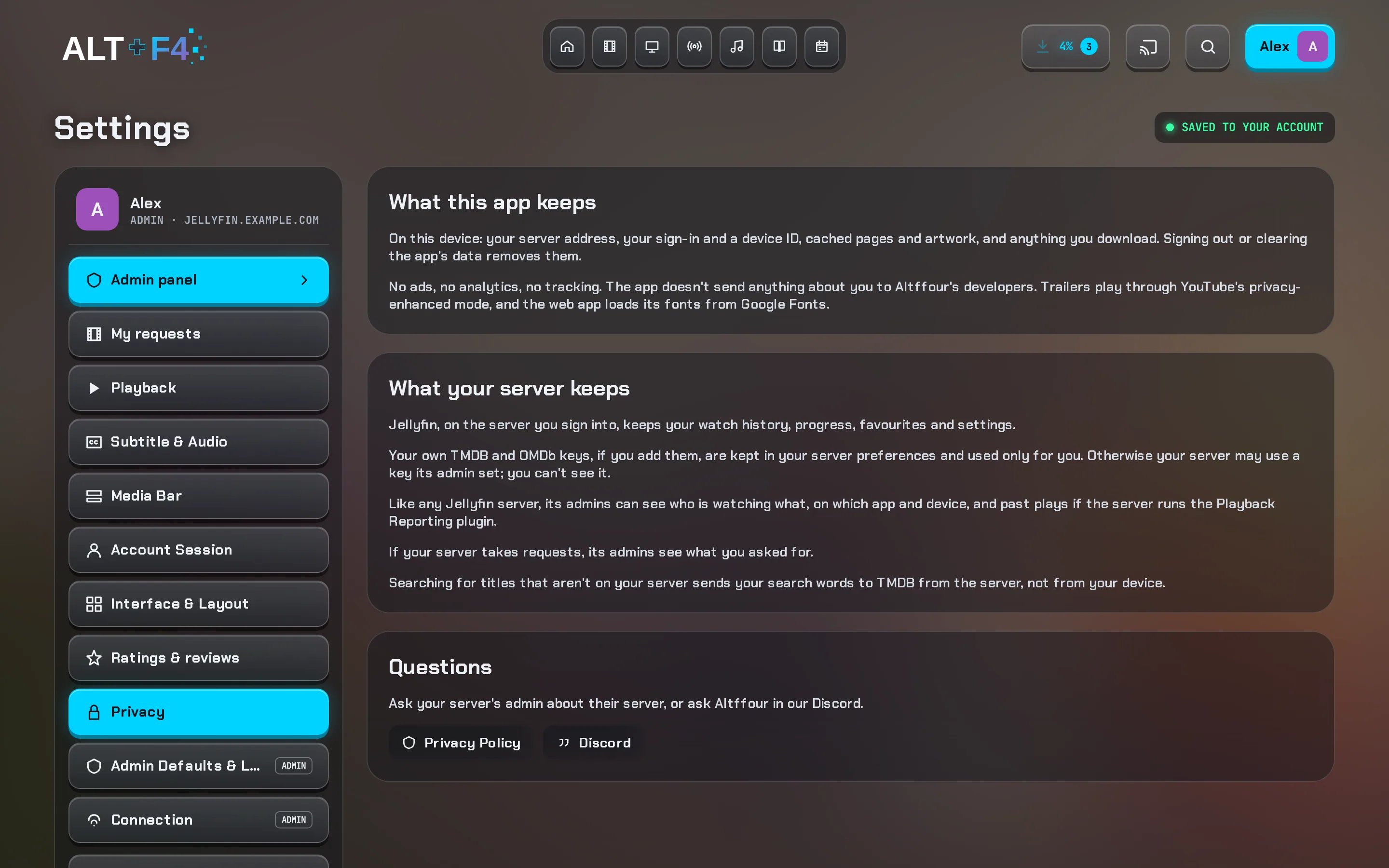
Settings → Privacy says what the app keeps, what your server keeps and what its admins can see. No ads, no analytics, no tracking.
Try it with your server
Open Altffour in your browser, enter your Jellyfin server's address and sign in. Nothing to install on the server.